Telegram Mini App · payment · statuses
A store in Telegram
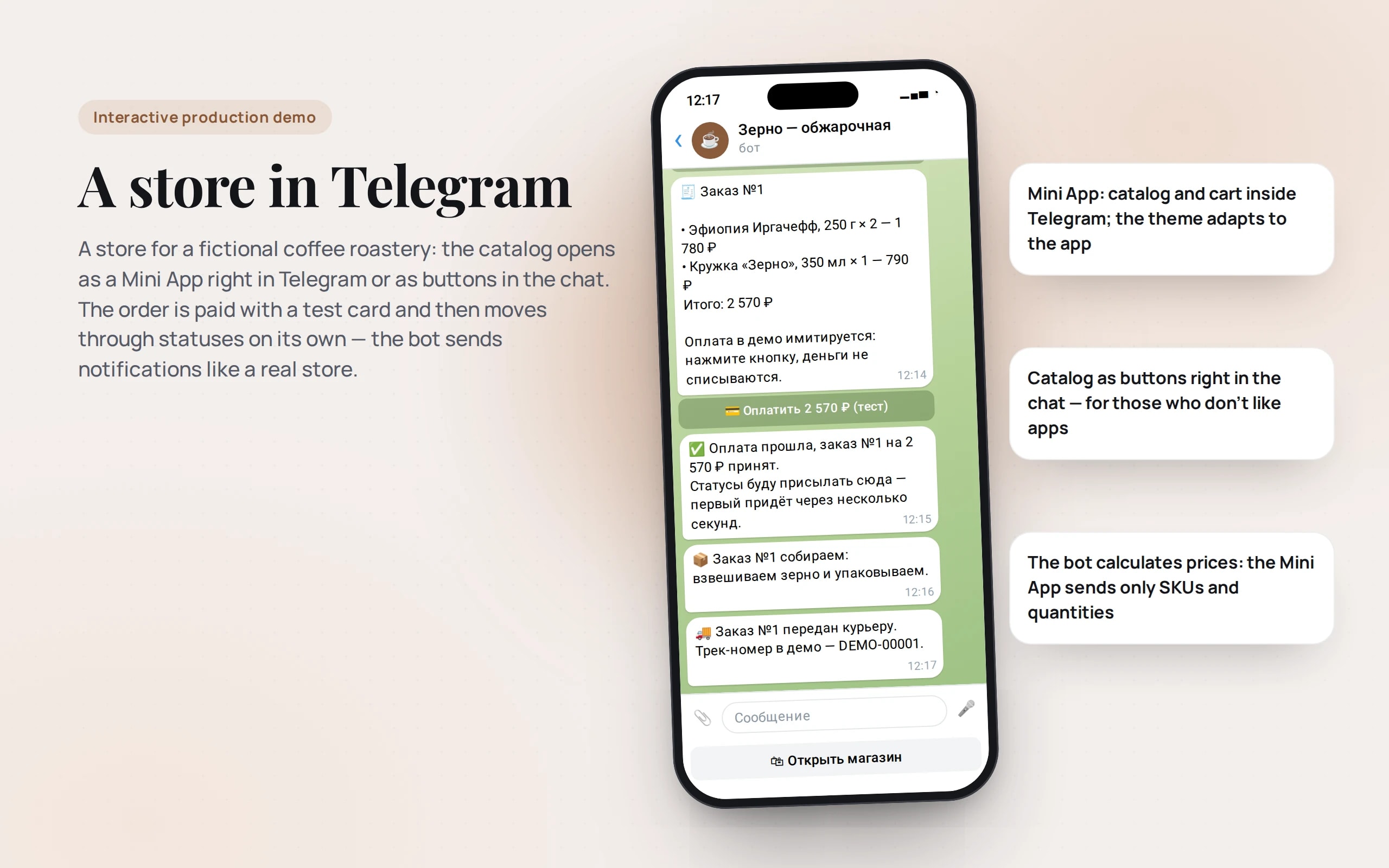
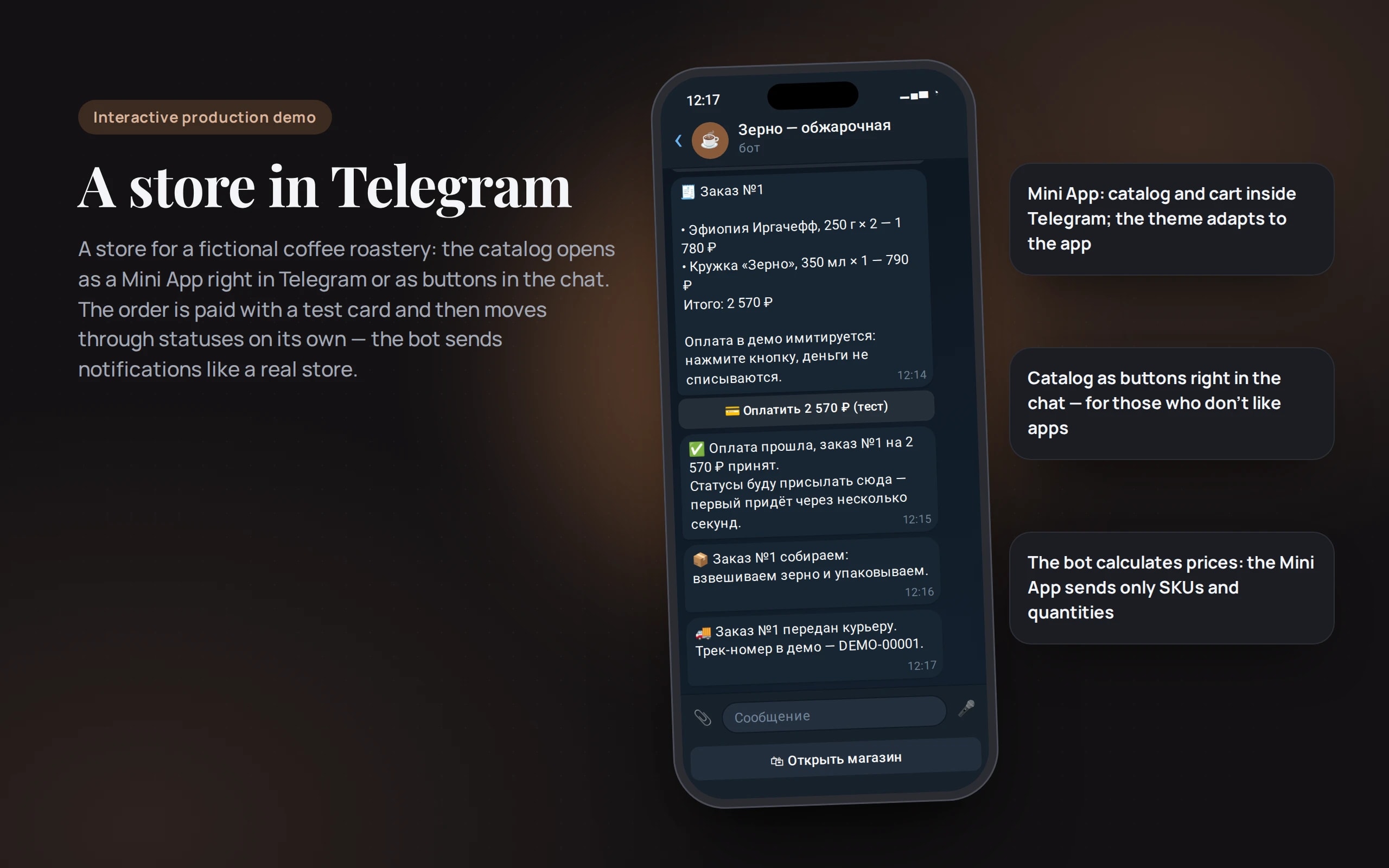
A store for a fictional coffee roastery: the catalog opens as a Mini App right in Telegram or as buttons in the chat. The order is paid with a test card and then moves through statuses on its own — the bot sends notifications like a real store.
Scenario: Zerno Roastery — coffee, drip bags and brewing gear. The store is fictional; no money is charged.
Open the demo
The bot replies in Russian: it was built for Russian-speaking customers. Example phrases come with translations.
The same Mini App that opens inside Telegram; an order placed in the browser is handed to the bot via a link.
Don’t enter real personal data: this is a demo, and everything is deleted after 24 hours.
What the demo shows
How to try it
Open the bot
The “Open in Telegram” button or the QR code. Press “Start”.
Fill your cart
The “🛍 Открыть магазин” (Open store) button under the input field opens the Mini App. Or skip it and use the catalog buttons in the chat.
Pay with a test card
Number 1111 1111 1111 1026, any future expiry date, CVC 000. No money is charged.
Track the status
Within a couple of minutes the order goes through packing and delivery, and the bot sends notifications. All orders: the /orders command.
Commands
- /start
- open the store
- /catalog
- catalog in the chat
- /cart
- cart
- /orders
- my orders
- /about
- how the demo works
No paid neural networks
No neural network is needed here, and that’s a position too: a store needs a reliable catalog, payments and statuses, not “AI for the sake of AI”. In a production project a model can be added where it helps — for example, recommending coffee by taste.
The demo runs without OpenAI, YandexGPT or GigaChat API keys. Wherever a production system calls a model, there’s a local stub with the same interface — so the demo is free, always available and never makes things up.
What a production project adds
- Catalog and stock from MoySklad, 1C or your CRM
- Live payments via YooKassa, CloudPayments or T-Bank with fiscal receipts (Federal Law 54-FZ)
- Statuses from the delivery service (CDEK, Yandex Delivery) and the warehouse system
- Broadcasts, promo codes and one-click repeat orders
Stack
- All demos by stack:
- Python
- Telegram and Max
- React
- TypeScript
- Python 3.14
- aiogram
- Telegram Mini App
- Telegram Payments
- Next.js
- SQLite
Based on
Books and university courses whose ideas are at work in this demo.
Book · John Little
The Warrior Within
The catalog adapts to the buyer: a Mini App inside Telegram, buttons right in the chat for those who dislike apps, and a regular page in the browser.
Developer’s comment
Anton Goncharov
AI systems developer · Python
For business
- Buyers don’t need to install an app or register: the catalog, cart and payment are inside Telegram, where they spend their day anyway.
- Order statuses arrive on their own — fewer “where’s my order?” questions to support.
- A repeat order is one message from the bot, not an ad budget for winning the customer back.
For developers
- The Mini App is a page of this same Next.js website; its theme adapts to Telegram. Outside Telegram it works in the browser and hands the order to the bot via a link.
- Only the bot calculates prices: the Mini App sends SKUs and quantities, so the total can’t be tampered with in the browser.
- Payment is Telegram Payments with a test provider; a background task in the bot moves order statuses and sends notifications.
Tips
Tip 01
Never trust an amount that comes from the client — neither from a Mini App nor from a website.
Tip 02
Keep the catalog as chat buttons as a fallback: some buyers won’t open the Mini App.
Want the same for your business?
Tell me about your task — I’ll tell you what from the demo fits, how long it will take and what I’ll need from you.
Other demos in this section
All demos- live

Telegram and Max · knowledge base search
AI support from a knowledge base
A first-line bot answers customers from the company knowledge base, shows the source of each answer, honestly says “I don’t know” and hands the conversation to an operator.
- Python
- Telegram and Max
- live

Telegram and Max · leads and CRM
Lead qualification
The bot takes a request in free-form text, pulls out the task, budget, timeline and contact, rates how “hot” the lead is and puts a card on the deal board.
- Python
- Telegram and Max
- live

Telegram and Max · booking, prepayment, reminders
Service booking in Telegram and Max
The bot books barbershop appointments: service, barber and free time via buttons or in a single phrase, prepayment, a reminder with “I’ll come” and “Reschedule” buttons, rescheduling, cancellation and the schedule as the administrator sees it.
- Python
- Telegram and Max
- live

Telegram and Max · points, QR at the till, broadcasts
Loyalty program in Telegram and Max
A bakery guest card right in the messenger: a QR code for the till that changes every minute, points and tiers, every sixth coffee free, points exchanged for coupons, bonuses for friends and segmented broadcasts with marketing consent.
- Python
- Telegram and Max
- live

Web app · scenario · aiogram 3 code
Bot scenario builder
A booking or lead-collection bot is assembled from steps: messages, buttons, questions with phone or date validation, conditions. The scenario can be walked through right away in a Telegram-style preview, and the output is ready-to-run Python bot code.
- React
- TypeScript
- Python