WordPress and WooCommerce · runs in the browser
WordPress electronics store
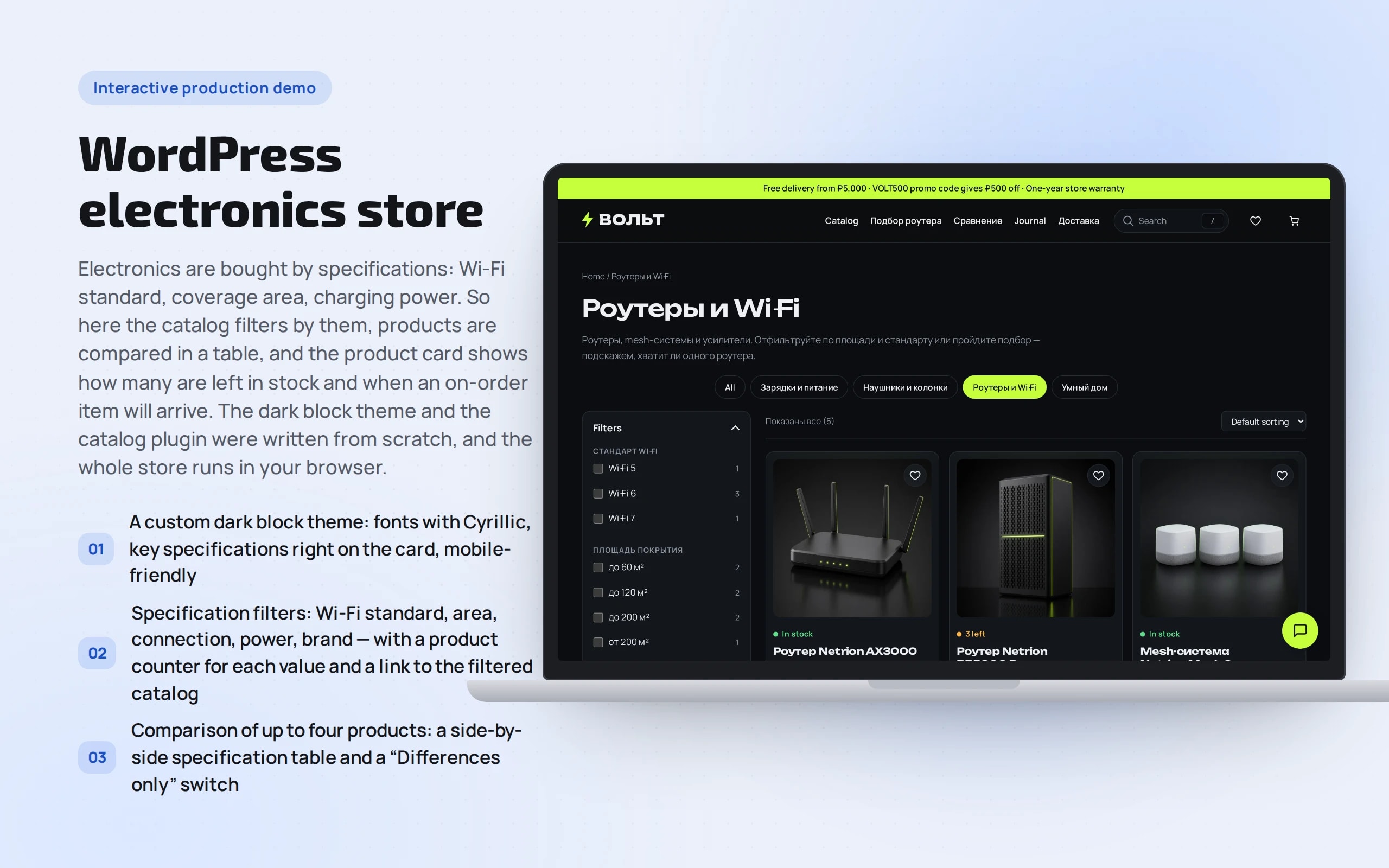
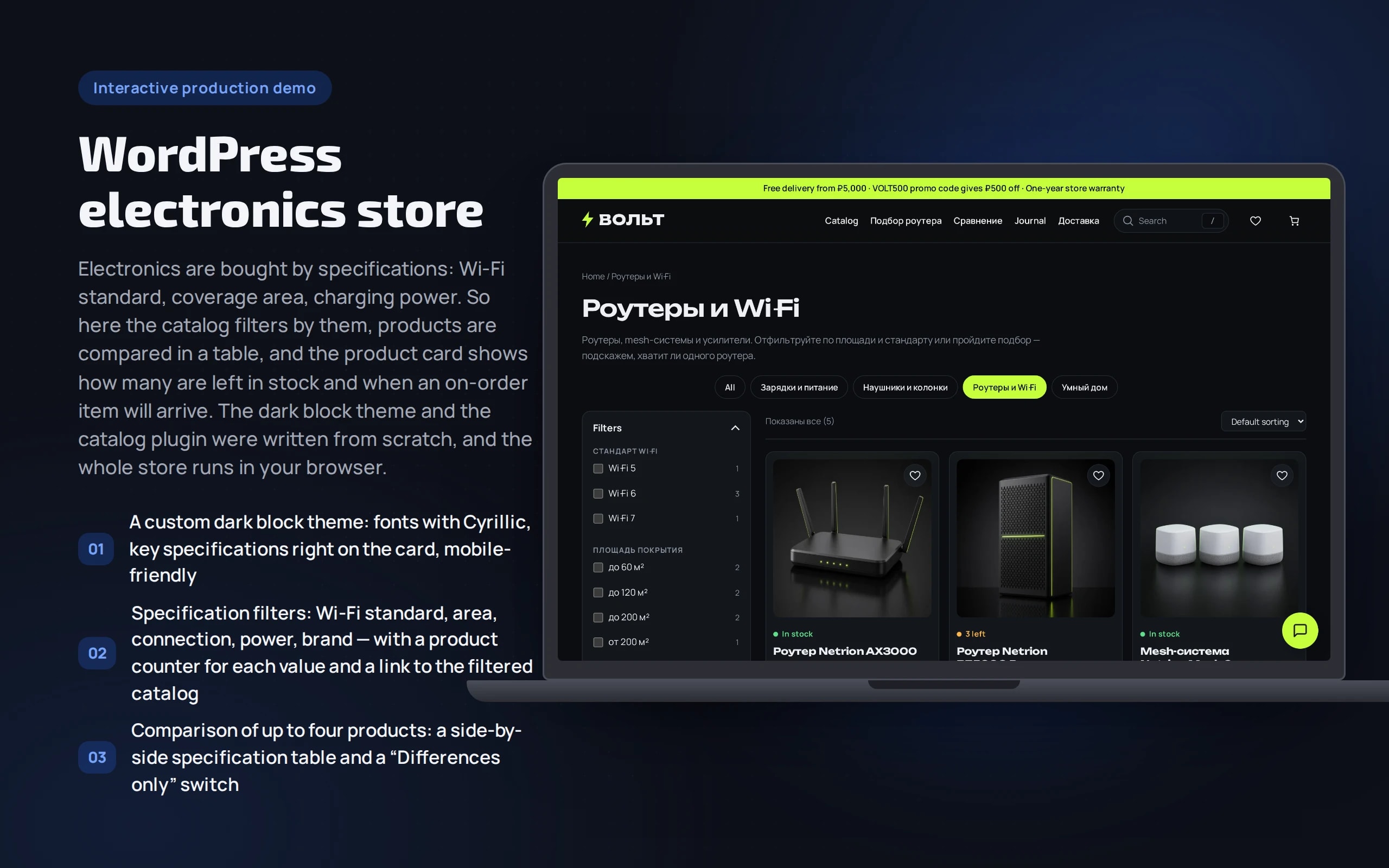
Electronics are bought by specifications: Wi-Fi standard, coverage area, charging power. So here the catalog filters by them, products are compared in a table, and the product card shows how many are left in stock and when an on-order item will arrive. The dark block theme and the catalog plugin were written from scratch, and the whole store runs in your browser.
Scenario: Volt — fictional — sells routers and mesh systems, headphones and speakers, smart home devices and chargers with delivery across Russia.
Open the demo
WordPress starts in the browser in 5–10 seconds: the first time it downloads about 17 MB, then it loads from cache. Best on a computer: next to the store are hints on what to try and a “Storefront / Admin” switch.
The app runs in your browser: nothing is sent to a server.
What the demo shows
How to try it
Filter routers
“Catalog” → “Routers”: tick “Wi-Fi 6” and a coverage area — the list and counters update instantly.
Compare
“Compare” on two or three routers, then “Comparison” in the menu. “Differences only” keeps the rows where products differ.
Pick a router
“Router finder”: a house over 150 m², concrete walls, more than 30 devices — the quiz puts a three-unit mesh system in the cart.
Find a product
Press “/” and type “hjenth” — “router” in Russian typed in the English layout: search fixes the layout and shows routers. The eye icon on a card opens quick view.
Ask the consultant
The chat button at the bottom right: “which router for a 120 m² apartment?” or “why is mesh better than a repeater?”.
No paid neural networks
The store runs without a server and without a neural network: WordPress Playground runs PHP and an SQLite database in your browser, and external requests are disabled. Filters and comparison are real WooCommerce plugin code, and the consultant answers by searching the catalog and the store’s FAQs. In a production project the same code runs on hosting, stock comes from the warehouse, and the consultant calls a language model.
The demo runs without OpenAI, YandexGPT or GigaChat API keys. Wherever a production system calls a model, there’s a local stub with the same interface — so the demo is free, always available and never makes things up.
What a production project adds
- Hosting with PHP and MySQL, page and filter caching, images via CDN
- Stock, prices and lead times from 1C, MoySklad or suppliers on a schedule
- CDEK and Russian Post APIs, YooKassa or T-Bank with fiscal receipts under 54-FZ
- Export to Yandex Market and Ozon, feeds for Yandex Direct
- A consultant on a language model over the catalog and manuals, with handover to an operator
Stack
- WordPress
- WooCommerce
- PHP 8.3
- Block theme
- Custom catalog plugin
- Custom storefront plugin
- WordPress Playground
- WebAssembly
- SQLite
Developer’s comment
Anton Goncharov
AI systems developer · Python
For business
- Electronics are chosen by specs — filters and comparison shorten the path to purchase.
- Stock and “made to order” lead times right on the product page — fewer “when will it be available?” calls.
- The selection quiz sells a mesh system with the right number of units, not the cheapest router.
For developers
- The catalog plugin makes no database queries of its own: filters build links with parameters the Product Collection block already understands.
- Comparison is stored in localStorage, and the spec table is rendered on the server from the list of products in the URL.
- The dark block theme is custom; the delivery, payment and storefront plugins are shared with the coffee store; styles use scroll-driven animations, View Transitions and container queries without JS libraries.
Tips
Tip 01
Before writing your own search, check what WooCommerce already does: less code means fewer breakages on updates.
Tip 02
Filter counters are a must: an empty result after a click is a lost buyer.
Want the same for your business?
Tell me about your task — I’ll tell you what from the demo fits, how long it will take and what I’ll need from you.
Other demos in this section
All demos- live

WordPress and WooCommerce · runs in the browser
WordPress coffee store
A live WooCommerce store: 15 products and 70 variations, a selection quiz, instant search, favorites and quick view, reviews and promo codes, CDEK and Russian Post delivery by postcode, YooKassa-style payment, company purchases with tax ID validation and one-click orders. WordPress runs right in the browser — you can place an order and go into the admin panel.
- WordPress
- PHP
- live

WordPress and WooCommerce · runs in the browser
WordPress clothing store
A WooCommerce store of basic clothing: size and color variations as buttons, a size chart and size finder by height and weight, filters by size, color and fit, instant search, favorites and quick view, reviews and promo codes, and a consultant on sizes and care. WordPress runs right in the browser — you can place an order and go into the admin panel.
- WordPress
- PHP