WordPress and WooCommerce · runs in the browser
WordPress coffee store
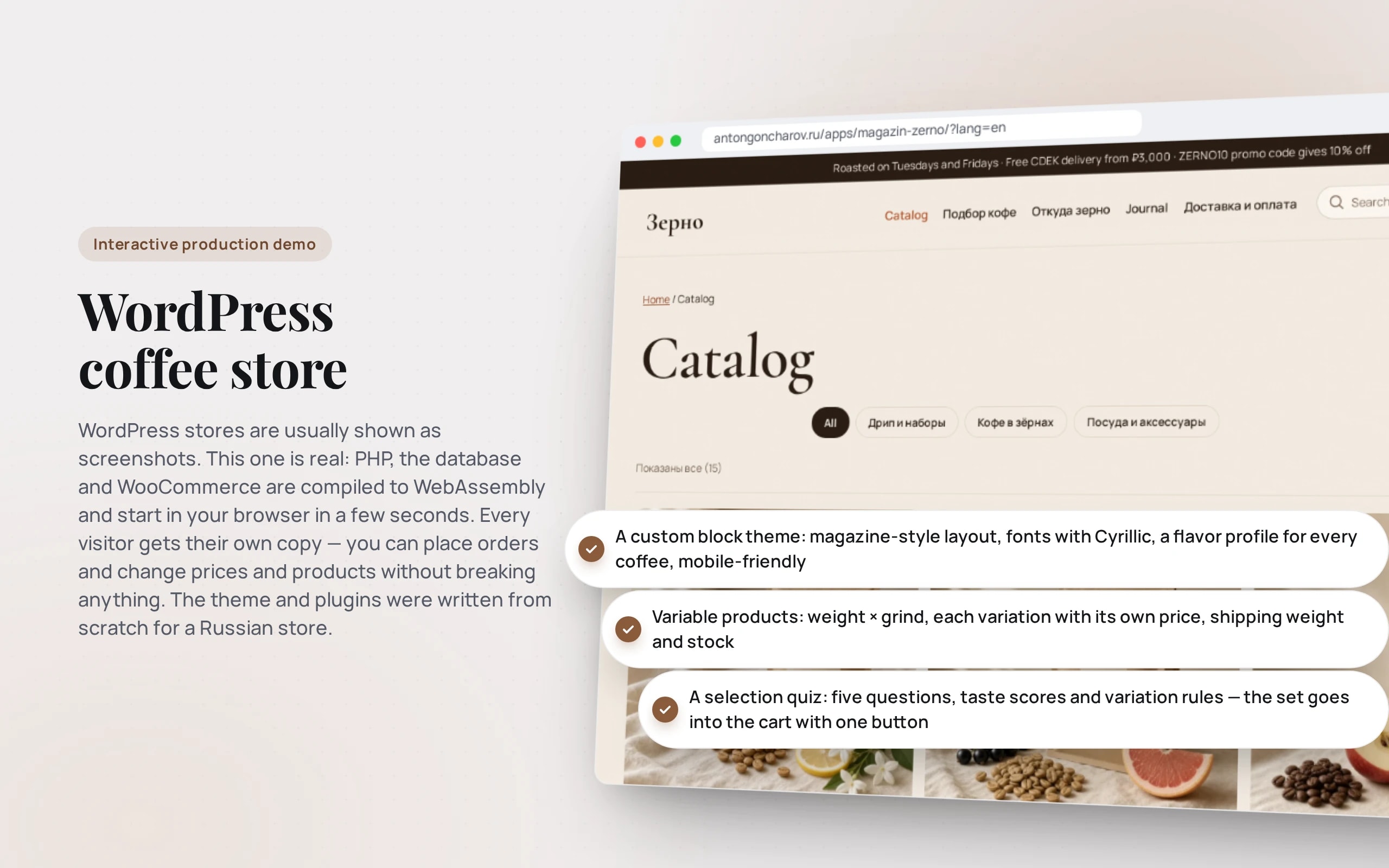
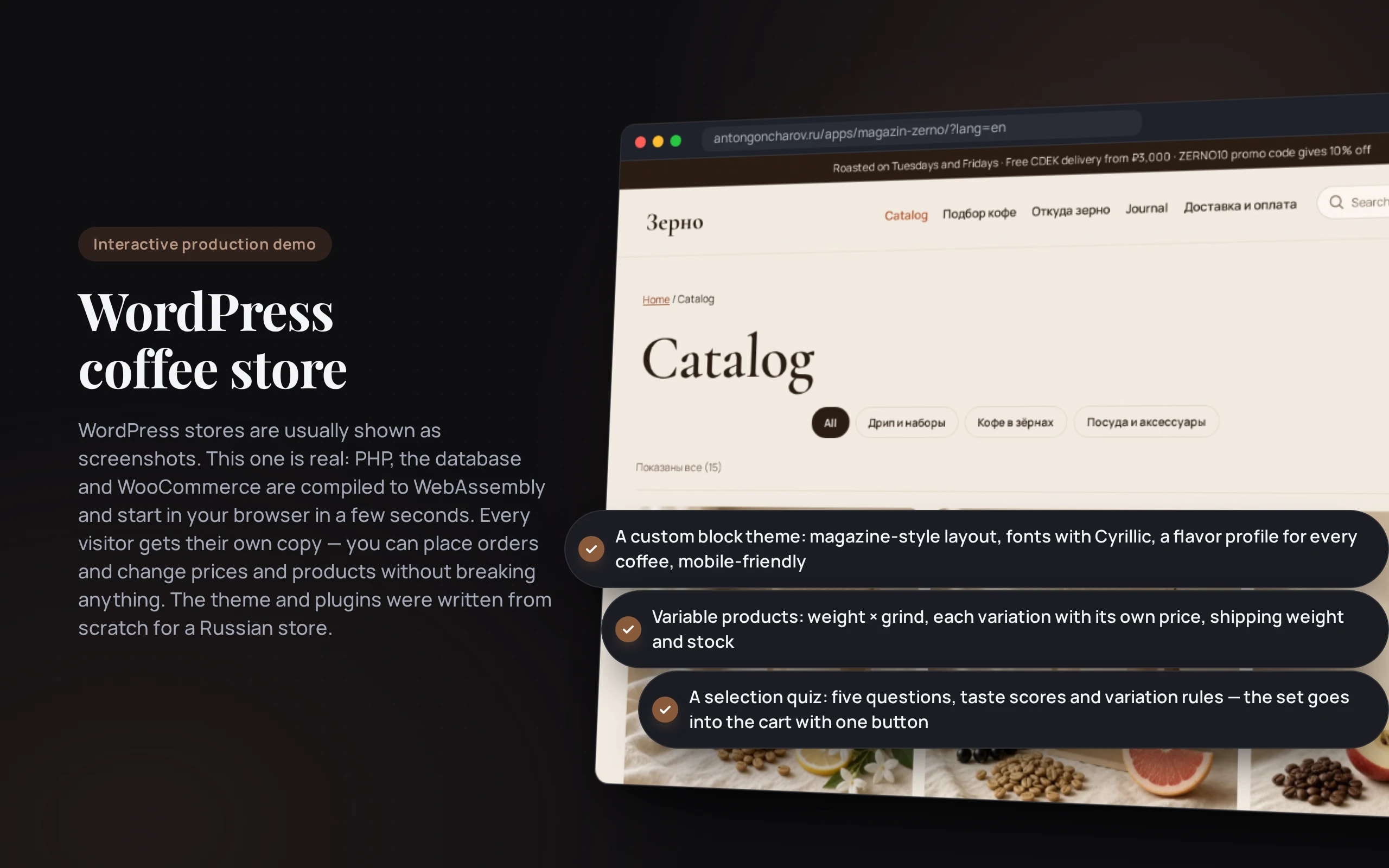
WordPress stores are usually shown as screenshots. This one is real: PHP, the database and WooCommerce are compiled to WebAssembly and start in your browser in a few seconds. Every visitor gets their own copy — you can place orders and change prices and products without breaking anything. The theme and plugins were written from scratch for a Russian store.
Scenario: Zerno roastery — fictional — sells whole-bean and ground coffee, drip bags and tableware with delivery across Russia.
Open the demo
WordPress starts in the browser in 5–10 seconds: the first time it downloads about 17 MB, then it loads from cache. Best on a computer: next to the store are hints on what to try and a “Storefront / Admin” switch.
The app runs in your browser: nothing is sent to a server.
What the demo shows
How to try it
Find your coffee
“Coffee finder” in the menu: five questions — and a coffee with the right grind and weight. “Add to cart” — and on to checkout.
Place an order
Enter the postcode 630000 — CDEK and Russian Post recalculate the price and transit time for Novosibirsk. In “Company or sole proprietor”, enter the tax ID 7728123450 — the store finds the error.
Pay with a test card
“Card or SBP online” leads to the payment page: 4000 0000 0000 0002 — the bank declines, 5555 5555 5555 4477 — the order is paid.
Look into the admin panel
The “Admin” button above the store: the order is already there, with delivery and the tax ID. Change a product price and go back to the storefront.
No paid neural networks
The store runs without a server and without a neural network: WordPress Playground runs PHP and an SQLite database in your browser, and external requests are disabled. Delivery is calculated from a model of CDEK and Russian Post tariffs, payment is a simulated YooKassa page, and the consultant answers by searching the catalog and the store’s FAQs. In a production project the same code calls the CDEK, Russian Post and YooKassa APIs, and the consultant calls a language model.
The demo runs without OpenAI, YandexGPT or GigaChat API keys. Wherever a production system calls a model, there’s a local stub with the same interface — so the demo is free, always available and never makes things up.
What a production project adds
- Hosting with PHP and MySQL, page caching, images via CDN, backups
- CDEK and Russian Post APIs: real tariffs, pickup points on a map, a tracking number in the order
- YooKassa or T-Bank: card and SBP payments, fiscal receipts under 54-FZ, refunds from the admin panel
- Orders and stock in 1C or MoySklad, leads in amoCRM or Bitrix24
- A consultant on a language model over your knowledge base, with handover to an operator
Stack
- WordPress
- WooCommerce
- PHP 8.3
- Block theme
- Custom storefront plugin
- WordPress Playground
- WebAssembly
- SQLite
- JavaScript without frameworks
Based on
Books and university courses whose ideas are at work in this demo.
Book · Alexey Vasiliev
PHP Programming in Examples and Exercises
A WooCommerce shop with its own block theme and storefront plugin on PHP 8.3.
Developer’s comment
Anton Goncharov
AI systems developer · Python
For business
- The store is built for Russian realities from the start: CDEK and Russian Post by postal code, card and SBP payments, purchases on behalf of a company with a tax ID.
- The selection quiz puts a specific variation in the cart — buyers don’t get lost among weights and grinds.
- One-click ordering is for those who don’t want to fill in a form.
For developers
- A custom block theme and plugins on PHP 8.3, checked in CI by PHPStan level 6 with WordPress and WooCommerce stubs.
- The demo runs on WordPress Playground: PHP and SQLite in WebAssembly, with a store snapshot built in advance that loads in seconds.
- Delivery is custom WooCommerce methods with a tariff model; in production they’re replaced by CDEK and Russian Post API calls.
- Search, favorites and quick view are a storefront plugin: blocks insert themselves into theme templates via Block Hooks, and data comes from the WooCommerce Store API.
Tips
Tip 01
Build block themes, not classic ones: templates can then be edited in the editor without a developer.
Tip 02
Don’t install ten plugins for small things: each one slows the store down and updates in its own way.
Want the same for your business?
Tell me about your task — I’ll tell you what from the demo fits, how long it will take and what I’ll need from you.
Other demos in this section
All demos- live

WordPress and WooCommerce · runs in the browser
WordPress electronics store
A WooCommerce store of routers, speakers and smart home devices: specification filters with counters, product comparison, stock and “on order” lead times, instant search, favorites and quick view, reviews and promo codes, a router selection quiz and a catalog consultant. WordPress runs right in the browser — you can place an order and go into the admin panel.
- WordPress
- PHP
- live

WordPress and WooCommerce · runs in the browser
WordPress clothing store
A WooCommerce store of basic clothing: size and color variations as buttons, a size chart and size finder by height and weight, filters by size, color and fit, instant search, favorites and quick view, reviews and promo codes, and a consultant on sizes and care. WordPress runs right in the browser — you can place an order and go into the admin panel.
- WordPress
- PHP