Web app · automation · amoCRM, 1C, Telegram
An n8n-style automation pipeline
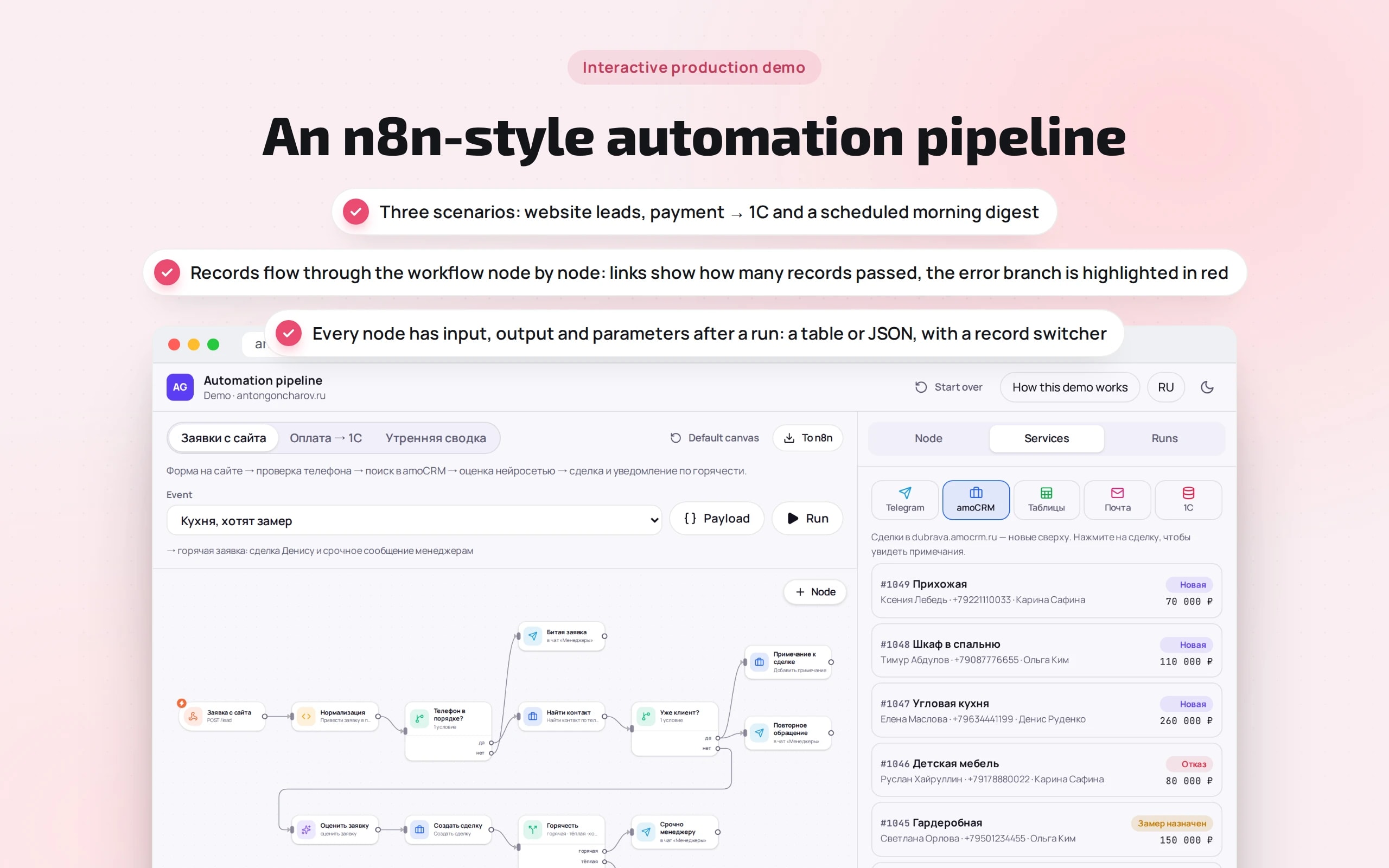
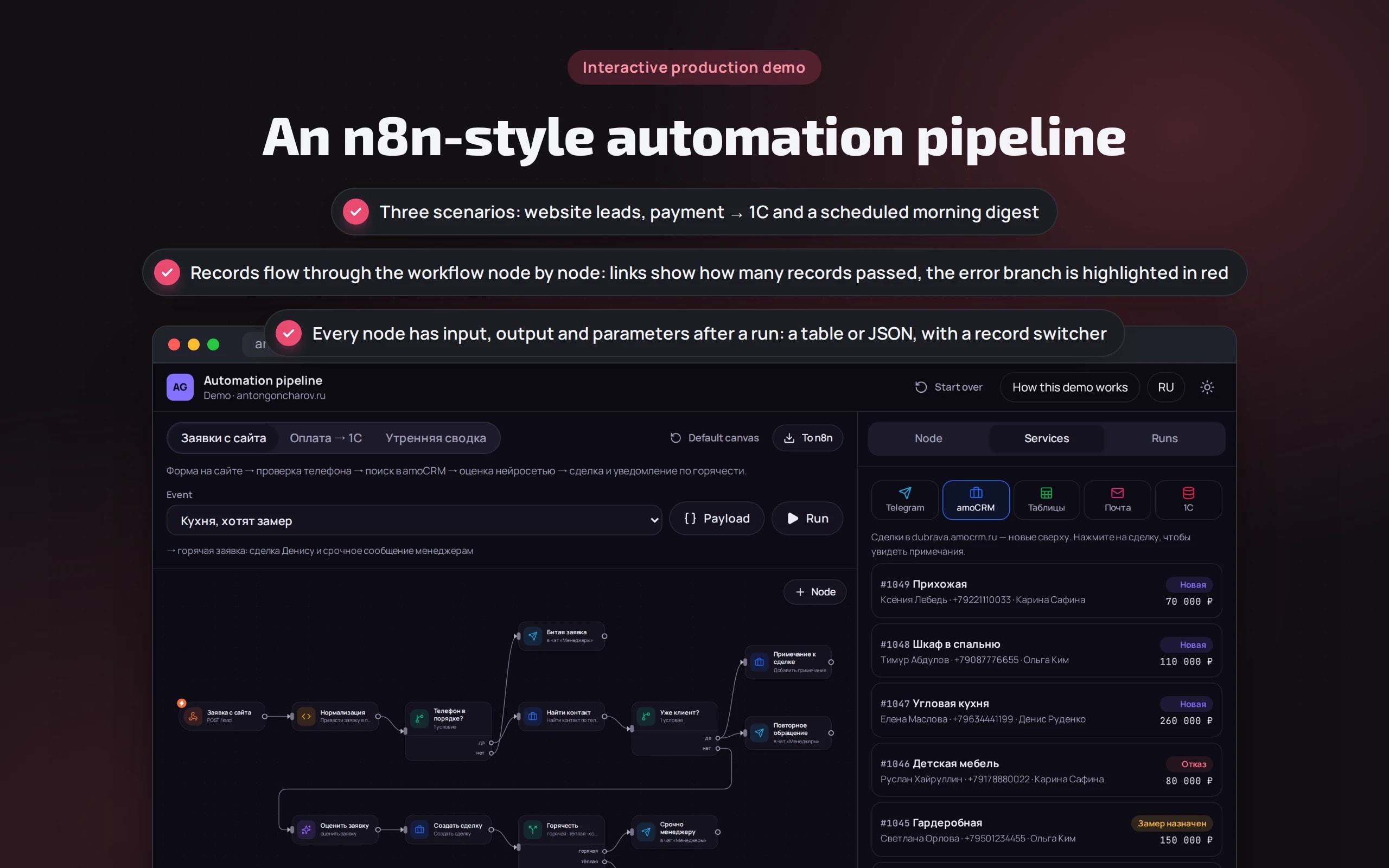
In many companies leads, payments and reports are still moved by hand: a manager copies a request into the CRM, an accountant types a payment into 1C, and the director collects numbers from three places every morning. Here a pipeline of nodes does it: it checks the phone, looks up the customer in amoCRM, asks a neural network to rate the lead, creates a deal and messages the right manager. If 1C doesn’t respond, it retries, then queues the order and alerts the person on duty — the payment isn’t lost.
Scenario: Dubrava furniture factory — fictional: amoCRM with eight deals, Google Sheets, manager and director chats in Telegram, email and 1C. All services are stubs that respond like the real APIs.
Open the demo
Best on a computer: the workflow, node data and services are side by side.
The app runs in your browser: nothing is sent to a server.
What the demo shows
How to try it
Run a hot lead
“Kitchen, they want a measurement visit” → “Run”. Records pass the phone check, the amoCRM lookup and the neural network rating, and reach Denis marked “call back within 15 minutes”.
Open a node
Click “Rate the lead” — the “Output” tab shows the topic, budget and temperature. On “Create deal” you can see which expressions became the deal title and budget.
Send a repeat and a broken lead
Igor Sedov is already a customer — the deal isn’t duplicated; a note is added to it. A lead with the phone “12-34” goes to the “no” branch and to the managers’ chat.
Take 1C down
“Payment → 1C”, event “1C unavailable”. Three attempts with a pause, then the error branch: a message to the person on duty and a row in the “Retry in 1C” sheet. The deal still becomes “Paid”.
Change the workflow
Disable a node, delete a link or add “Set” from the palette — warnings appear below. “Original workflow” restores everything.
Export to n8n
“To n8n” → download the JSON and import it into your n8n: all that’s left is connecting the amoCRM, Telegram, email and Google keys.
No paid neural networks
The workflow runs on a custom engine in the browser: records, expressions, branches, retries and error handling work as in n8n, but it isn’t n8n itself. amoCRM, 1C, Sheets, Telegram and email are in-memory stubs that respond like the real APIs. The neural network is a stub too: it takes the topic, budget and temperature from the words of the request. In a production project the workflow lives in n8n on your server, with a model call instead of the stub.
The demo runs without OpenAI, YandexGPT or GigaChat API keys. Wherever a production system calls a model, there’s a local stub with the same interface — so the demo is free, always available and never makes things up.
What a production project adds
- n8n on your server in Docker: customer data doesn’t go to someone else’s cloud, and workflows are edited by a manager, not a programmer
- amoCRM or Bitrix24, 1C via HTTP services, MoySklad, Google Sheets, Telegram and email — via ready nodes or API requests
- Lead rating via YandexGPT, GigaChat or GPT with the answer checked in code: the neural network doesn’t change deals without rules
- Retries, an outbox queue and alerts to the person on duty: no payment or lead is lost silently
- Complex logic as a separate Python service that n8n just calls; workflows in git and database backups
Stack
- All demos by stack:
- React
- TypeScript
- React 19
- TypeScript
- React Flow
- Zustand
- Vite
- Tailwind CSS
Based on
Books and university courses whose ideas are at work in this demo.
University course · CMC MSU
Discrete Structures
An automation workflow is a directed graph: records move from node to node, and the error branch is a separate path.
Developer’s comment
Anton Goncharov
AI systems developer · Python
For business
- A website lead reaches the CRM and the right manager in seconds, and hot ones come with a “call back” flag instead of waiting until morning.
- A payment isn’t lost even if 1C is unavailable: the pipeline retries, queues the order and alerts the person on duty.
- The whole workflow is visible: a manager understands where a lead goes and can change a message text without a programmer.
For developers
- The engine is a pure function of the workflow, the event and the state of services: tests run all events of the three scenarios, retries and the error branch.
- Expressions are parsed by a custom parser without eval: only record fields, $json, $('Node'), $now and allowed string and number methods.
- The export was verified by importing it into real n8n, and the JS code of “Code” nodes is executed in tests and compared with the engine’s result.
Tips
Tip 01
Enable retries and an error branch on every external request: a workflow that fails silently is worse than none at all.
Tip 02
Keep complex logic in a separate service rather than in “Code” nodes: n8n is good for wiring things together, not for hundreds of lines of business rules.
Want the same for your business?
Tell me about your task — I’ll tell you what from the demo fits, how long it will take and what I’ll need from you.
Other demos in this section
All demos- live

Web app · agent diagram
AI agent builder
A support agent is assembled from blocks: intents, a knowledge base, API calls, checks and operator handover. Send a customer message and watch its path light up on the diagram step by step.
- React
- TypeScript
- live

Web app · question → SQL → chart · PostgreSQL in the browser
AI data analyst
A manager asks in plain words — “revenue by channel for Q3”, “which customers stopped ordering” — and gets SQL, a chart, a table and a conclusion. The sales database is real PostgreSQL running right in the browser.
- React
- TypeScript
- live

Web app · risks against a standard · Word with tracked changes
Contract review
A counterparty sent their own contract — the review compares it with the company’s standard, highlights risky clauses, explains why they’re dangerous and suggests wording. The output is a Word file with tracked changes and a disagreement protocol.
- React
- TypeScript
- live

Web app · tasks from chat · kanban · evening digest
AI agent in a team chat
People write in the team chat as usual — “Pete, fix the price list by Friday”. The agent creates a task on the kanban board, moves it through “On it” and “Done”, reschedules and reassigns tasks, reminds about overdue work in the morning and sends a digest in the evening.
- React
- TypeScript
- live

Web app · shared inbox · CRM · protection against bank detail fraud
AI inbox triage
The agent reads the sales team’s shared inbox: it understands what each email is, extracts fields, creates a deal, a ticket or a task in the CRM and drafts a reply. An invoice with new bank details or a phishing email is caught before anyone pays or clicks a link.
- React
- TypeScript
- live

Web app · marketplaces · moderation check · unit economics
Product listings for WB and Ozon
The agent turns a supplier’s text into two listings — for Wildberries and for Ozon: a title within the marketplace limit, a description with search keywords, attributes from the reference lists. Then it checks what listings usually fail moderation on and calculates what’s left from each sale.
- React
- TypeScript
- live

Web app · meeting transcript · minutes · kanban
Meeting minutes → kanban tasks
The agent reads a stand-up transcript and builds the minutes: decisions, tasks with an assignee and deadline taken from live speech, risks and open questions. Tasks go to the kanban board, and at the next meeting the agent moves them through statuses itself.
- React
- TypeScript
- live

Web app · personal data · healthcare · analytics
Anonymizing data before it reaches a neural network
The agent finds full names in any grammatical case, phones, passports, SNILS numbers, cards, addresses and diagnoses in emails and transcripts, replaces them before sending to an external neural network, and restores its answer to the real data on your side. It anonymizes a patient table for analytics so that nobody can be identified.
- React
- TypeScript
- live

Web app · multi-agent system · content
A team of AI agents for content
Six agents prepare a publication from a brief: the editor-in-chief plans, the researcher finds facts in the knowledge base, the writer writes, the fact-checker and editor send the draft back for revision, and the SMM agent adapts the text for Telegram, VK, a newsletter, a blog and a carousel. You see the agents’ entire conversation, every edit and what would have been published without checks.
- React
- TypeScript
- live

Web app · HR · scoring and chatbot
CV screening and an interviewer bot
Twenty CVs for three vacancies are analyzed in seconds: employment periods, experience, salary and city, match with the requirements and a quote from the CV for every “yes” or “no”. What’s missing from the CV is clarified by a bot: it asks only the missing questions, follows up on vague answers and books an interview. Gender, age and family are left out of the assessment.
- React
- TypeScript
- live

Web app · RAG · neural network in the browser
Search sandbox
How a support bot finds an answer in a knowledge base: documents are cut into fragments, search runs by keywords, by meaning or as a hybrid, and every fragment found shows why it ranks above the others.
- React
- TypeScript
- In-browser neural network
- live

Web app · metrics · CI thresholds
Bot quality evaluation
Before a new bot configuration is rolled out, it’s run against control questions. Here you can see how that works: hit@1, hit@3, the share of correct refusals, a comparison with production and a red banner if CI would block the release.
- React
- TypeScript
- In-browser neural network
- live

Web app · AI security · vanilla JS
Prompt injection defense trainer
Try to trick a support bot: coax out a secret promo code, extract the system prompt or get a refund without grounds. Six defense levels, direct attacks and attacks via emails, reviews and the knowledge base, and a check log based on the OWASP Top 10 for LLMs.
- Vanilla JS
- live

Web app · AI economics · vanilla JS
AI bot cost calculator
How much a bot will cost per month on GPT, Claude, YandexGPT, GigaChat or your own model on a rented GPU. Token-based calculation, all models compared on a chart, tips on paying less, and a real o200k tokenizer right in the browser.
- Vanilla JS