Web app · question → SQL → chart · PostgreSQL in the browser
AI data analyst
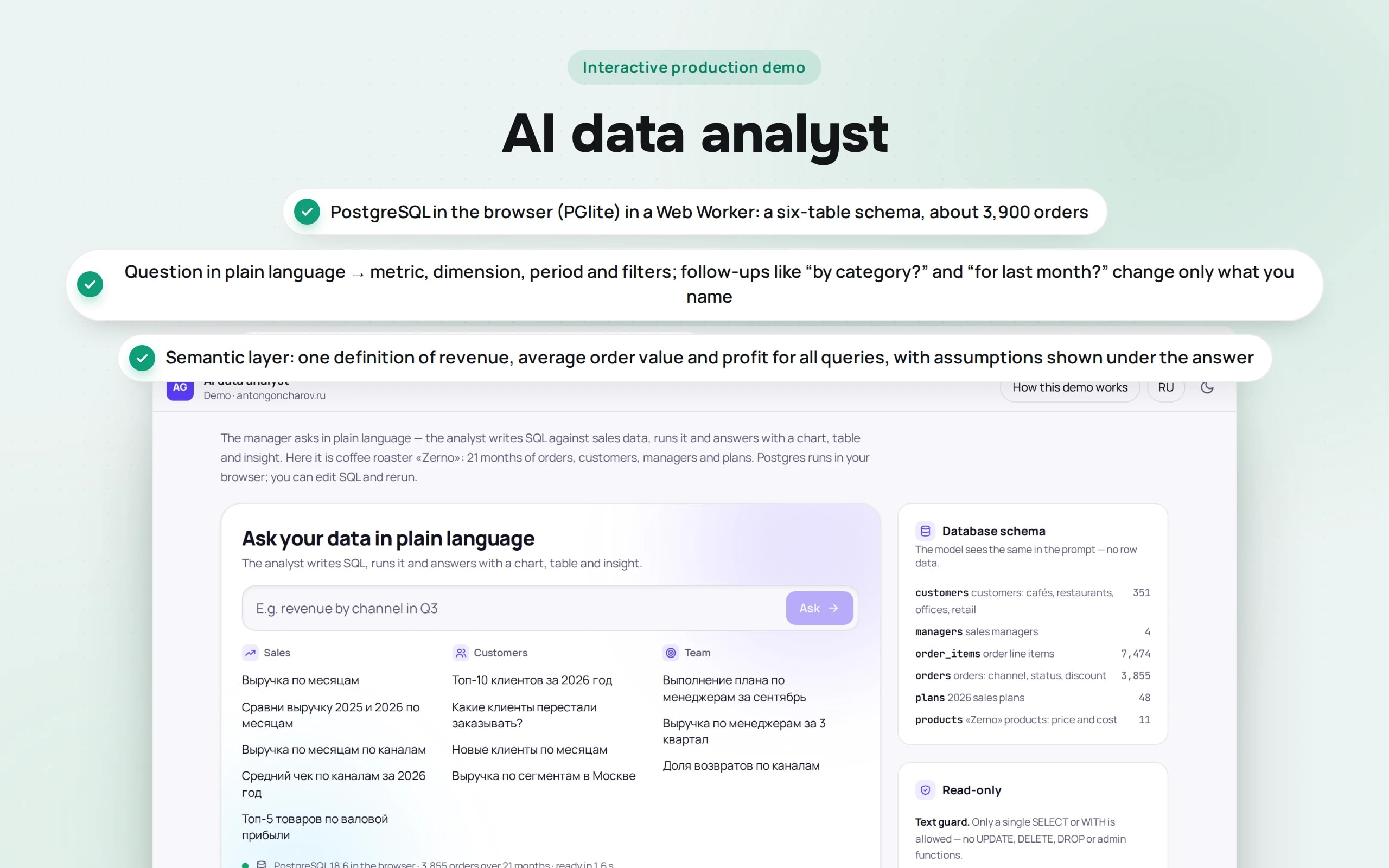
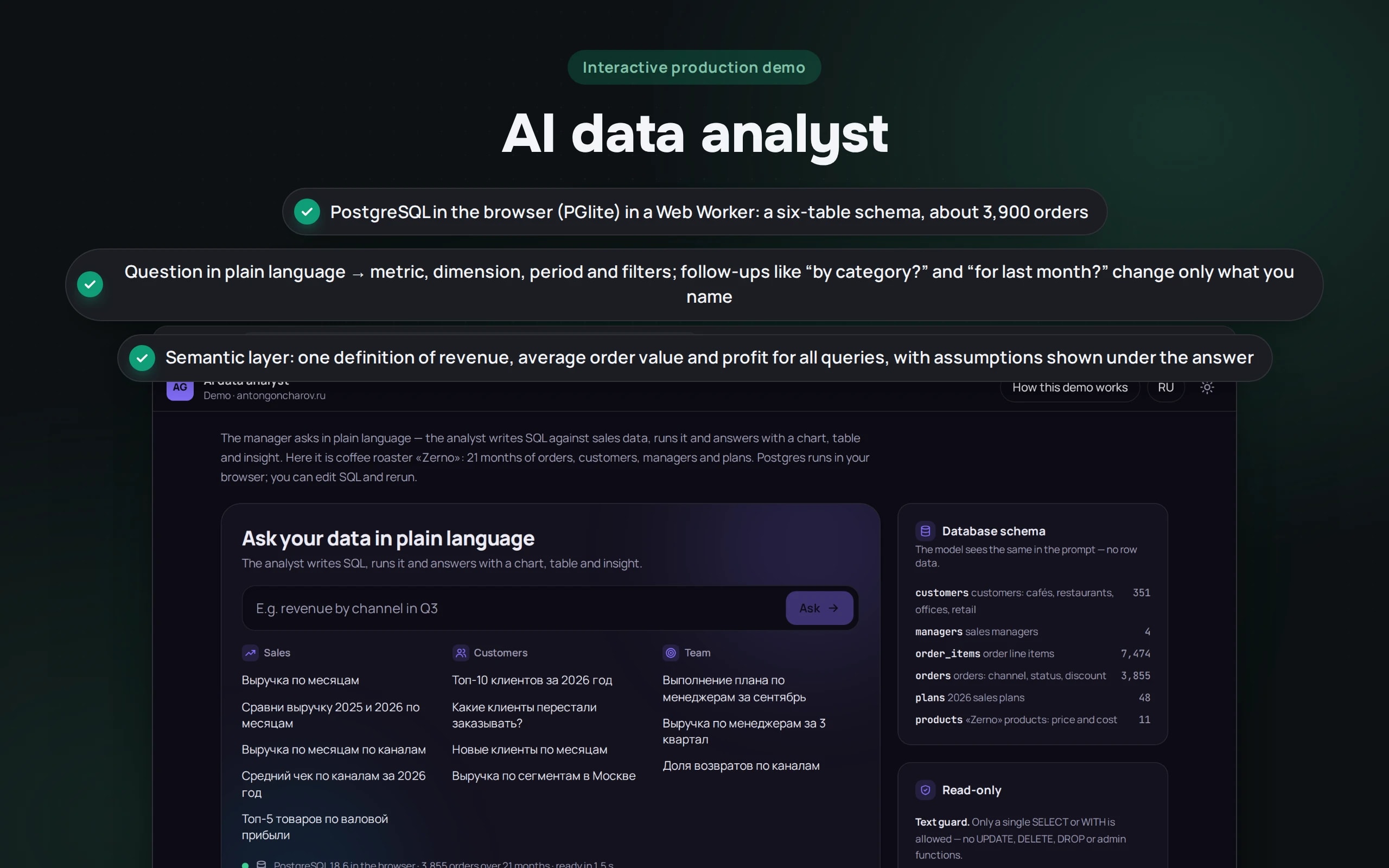
Reports in a company are usually made by one person, and the queue to them is a week long. Here a question is broken down into a metric, a dimension, a period and filters; a semantic layer turns them into SQL with shared definitions of “revenue” and “average order value”; and the answer comes as a chart, a table and a two-sentence conclusion. The SQL is visible and editable, follow-ups like “and only coffee shops?” continue the previous question, and the analyst cannot modify data.
Scenario: Zerno coffee roastery — fictional: 21 months of orders from coffee shops, restaurants, offices and private buyers, four sales managers and 2026 sales targets.
Open the demo
Postgres loads into the browser once — about 16 MB, then from cache. Queries and data never leave your device.
The app runs in your browser: nothing is sent to a server.
What the demo shows
How to try it
Ask about sales
“Compare 2025 and 2026 revenue by month” — two lines and a conclusion: how much January–September grew and which month was strongest.
Refine
Ask “Revenue by channel for 2026”, then press “Only coffee shops?” — the period and dimension stay, and a filter is added.
Dig deeper
Click the “wholesale” bar to see wholesale revenue by month. Pin the chart: it stays on the dashboard even after a reload.
Find a problem
“Plan completion by manager for September” and “Which customers stopped ordering?” — who is behind and what revenue is worth winning back.
Try to break it
Write “Delete cancelled orders” or type DELETE into the SQL — the analyst refuses, and a query that is too heavy stops after 5 seconds.
No paid neural networks
Postgres and the SQL are real; the data is synthetic. The question is parsed by rules that know this database’s vocabulary, and the conclusion is written by rules from the result table. In a production project both steps are done by a language model: it gets the schema and the metric dictionary without the data itself and returns SQL, which the database runs with read-only rights.
The demo runs without OpenAI, YandexGPT or GigaChat API keys. Wherever a production system calls a model, there’s a local stub with the same interface — so the demo is free, always available and never makes things up.
What a production project adds
- Connection to a replica of the production database, 1C or a warehouse (PostgreSQL, ClickHouse) under a read-only user
- A language model (GPT, Claude, YandexGPT or GigaChat) writes SQL from the schema and metric dictionary; data never goes to the model
- Role-based access: a manager sees their own customers, the head sees the whole department
- Questions from Telegram and an evening digest of key metrics
Stack
- All demos by stack:
- React
- TypeScript
- React 19
- TypeScript
- PostgreSQL
- PGlite
- Web Workers
- Recharts
- Zustand
- Vite
Based on
Books and university courses whose ideas are at work in this demo.
Book · James Martin
Computer Data-Base Organization
The semantic layer separates the manager’s concepts — revenue, average order value, profit — from the six-table schema.
Book · Andrew S. Tanenbaum, Herbert Bos
Modern Operating Systems
PostgreSQL runs in a separate Web Worker thread, and a query is stopped after 5 seconds — the interface doesn’t freeze.
Book · Georgy Chelpanov
A Textbook of Logic
The semantic layer gives one definition of revenue, average order value and profit for every query, and the assumptions are shown under the answer: terms are defined before the calculation.
University course · CMC MSU
Databases
A real PostgreSQL in the browser: a six-table schema, queries only in a READ ONLY transaction, stopped after 5 seconds and capped at 1,000 rows.
Developer’s comment
Anton Goncharov
AI systems developer · Python
For business
- A manager gets an answer in seconds rather than a week in the analyst’s queue — and asks more often.
- “Revenue” and “average order value” are calculated the same way everywhere: department reports stop contradicting each other.
- Lost customers and lagging behind the plan are visible right away, while they can still be won back.
For developers
- The model writes SQL not against the raw schema but against a semantic layer: metrics, dimensions and filters are defined in advance and covered by tests.
- Two locks against writes: a check of the query text and a READ ONLY transaction — Postgres refuses even if the check misses something.
- PGlite in a Web Worker: a heavy query doesn’t freeze the page, and after 5 seconds the worker restarts.
Tips
Tip 01
Give the model the schema and the metric dictionary, but not the data: it’s cheaper, safer and leads to fewer inventions.
Tip 02
Show the SQL and the assumptions under the answer — a manager should see exactly what was calculated.
Want the same for your business?
Tell me about your task — I’ll tell you what from the demo fits, how long it will take and what I’ll need from you.
Other demos in this section
All demos- live

Web app · agent diagram
AI agent builder
A support agent is assembled from blocks: intents, a knowledge base, API calls, checks and operator handover. Send a customer message and watch its path light up on the diagram step by step.
- React
- TypeScript
- live

Web app · risks against a standard · Word with tracked changes
Contract review
A counterparty sent their own contract — the review compares it with the company’s standard, highlights risky clauses, explains why they’re dangerous and suggests wording. The output is a Word file with tracked changes and a disagreement protocol.
- React
- TypeScript
- live

Web app · tasks from chat · kanban · evening digest
AI agent in a team chat
People write in the team chat as usual — “Pete, fix the price list by Friday”. The agent creates a task on the kanban board, moves it through “On it” and “Done”, reschedules and reassigns tasks, reminds about overdue work in the morning and sends a digest in the evening.
- React
- TypeScript
- live

Web app · shared inbox · CRM · protection against bank detail fraud
AI inbox triage
The agent reads the sales team’s shared inbox: it understands what each email is, extracts fields, creates a deal, a ticket or a task in the CRM and drafts a reply. An invoice with new bank details or a phishing email is caught before anyone pays or clicks a link.
- React
- TypeScript
- live

Web app · marketplaces · moderation check · unit economics
Product listings for WB and Ozon
The agent turns a supplier’s text into two listings — for Wildberries and for Ozon: a title within the marketplace limit, a description with search keywords, attributes from the reference lists. Then it checks what listings usually fail moderation on and calculates what’s left from each sale.
- React
- TypeScript
- live

Web app · meeting transcript · minutes · kanban
Meeting minutes → kanban tasks
The agent reads a stand-up transcript and builds the minutes: decisions, tasks with an assignee and deadline taken from live speech, risks and open questions. Tasks go to the kanban board, and at the next meeting the agent moves them through statuses itself.
- React
- TypeScript
- live

Web app · personal data · healthcare · analytics
Anonymizing data before it reaches a neural network
The agent finds full names in any grammatical case, phones, passports, SNILS numbers, cards, addresses and diagnoses in emails and transcripts, replaces them before sending to an external neural network, and restores its answer to the real data on your side. It anonymizes a patient table for analytics so that nobody can be identified.
- React
- TypeScript
- live

Web app · automation · amoCRM, 1C, Telegram
An n8n-style automation pipeline
Three working scenarios of a furniture factory on a canvas, as in n8n: website leads go to amoCRM and to managers by lead temperature, YooKassa payments go to 1C with retries and an error branch, and every morning there’s a digest for the director. Trigger an event and watch records flow from node to node; the workflow can be edited and exported to real n8n.
- React
- TypeScript
- live

Web app · multi-agent system · content
A team of AI agents for content
Six agents prepare a publication from a brief: the editor-in-chief plans, the researcher finds facts in the knowledge base, the writer writes, the fact-checker and editor send the draft back for revision, and the SMM agent adapts the text for Telegram, VK, a newsletter, a blog and a carousel. You see the agents’ entire conversation, every edit and what would have been published without checks.
- React
- TypeScript
- live

Web app · HR · scoring and chatbot
CV screening and an interviewer bot
Twenty CVs for three vacancies are analyzed in seconds: employment periods, experience, salary and city, match with the requirements and a quote from the CV for every “yes” or “no”. What’s missing from the CV is clarified by a bot: it asks only the missing questions, follows up on vague answers and books an interview. Gender, age and family are left out of the assessment.
- React
- TypeScript
- live

Web app · RAG · neural network in the browser
Search sandbox
How a support bot finds an answer in a knowledge base: documents are cut into fragments, search runs by keywords, by meaning or as a hybrid, and every fragment found shows why it ranks above the others.
- React
- TypeScript
- In-browser neural network
- live

Web app · metrics · CI thresholds
Bot quality evaluation
Before a new bot configuration is rolled out, it’s run against control questions. Here you can see how that works: hit@1, hit@3, the share of correct refusals, a comparison with production and a red banner if CI would block the release.
- React
- TypeScript
- In-browser neural network
- live

Web app · AI security · vanilla JS
Prompt injection defense trainer
Try to trick a support bot: coax out a secret promo code, extract the system prompt or get a refund without grounds. Six defense levels, direct attacks and attacks via emails, reviews and the knowledge base, and a check log based on the OWASP Top 10 for LLMs.
- Vanilla JS
- live

Web app · AI economics · vanilla JS
AI bot cost calculator
How much a bot will cost per month on GPT, Claude, YandexGPT, GigaChat or your own model on a rented GPU. Token-based calculation, all models compared on a chart, tips on paying less, and a real o200k tokenizer right in the browser.
- Vanilla JS