Next.js fitness studio website · booking, memberships, account
Fitness studio
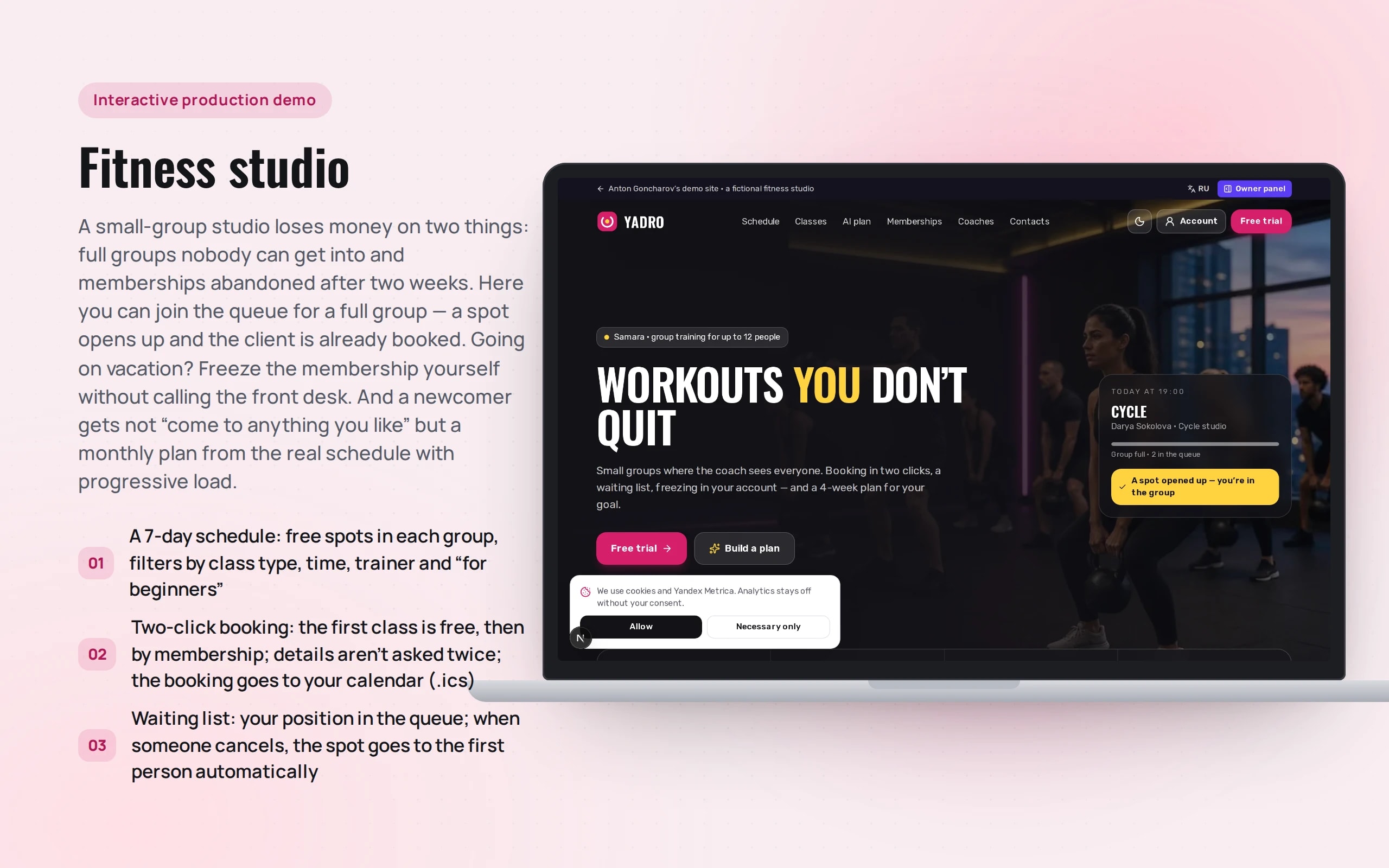
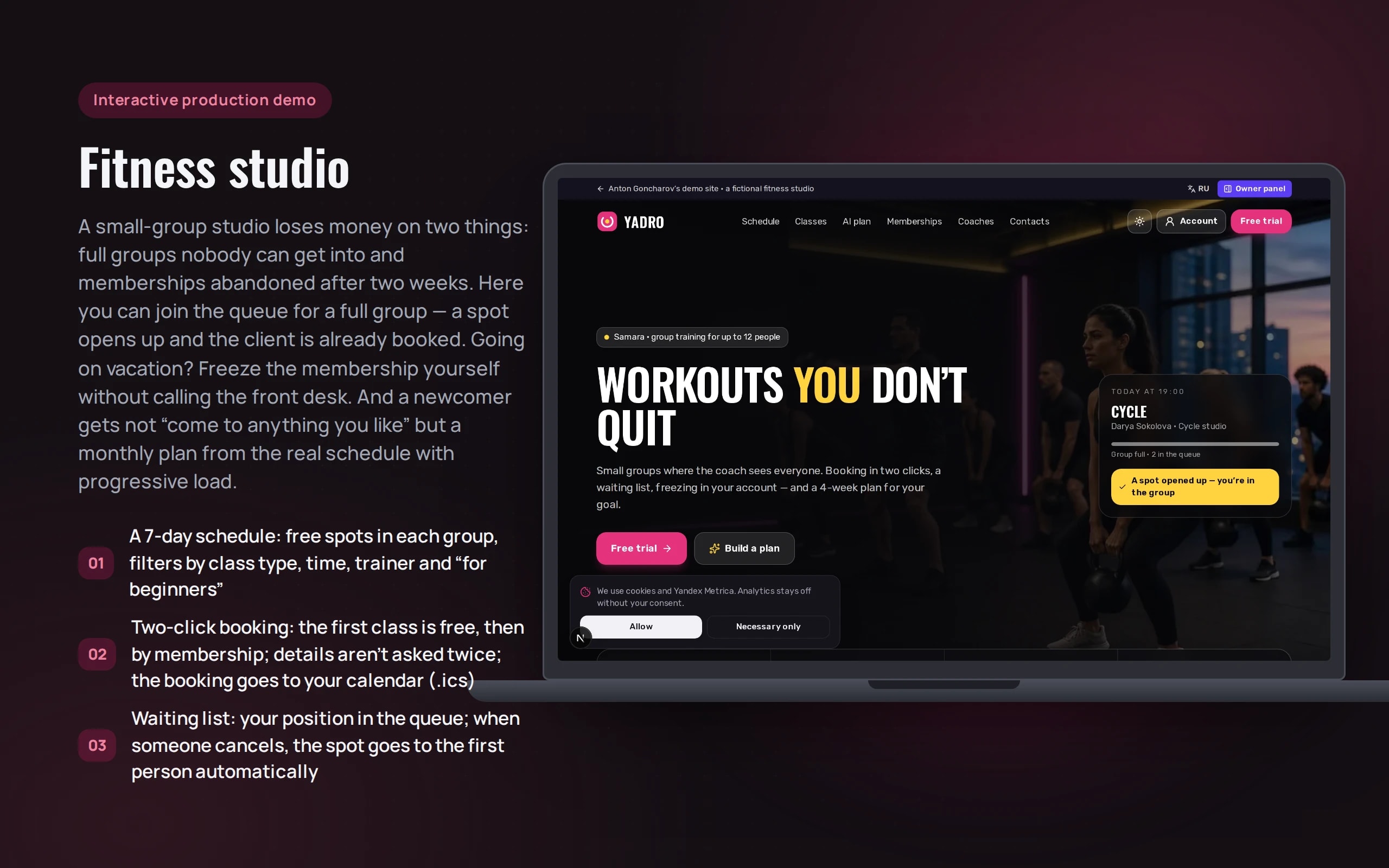
A small-group studio loses money on two things: full groups nobody can get into and memberships abandoned after two weeks. Here you can join the queue for a full group — a spot opens up and the client is already booked. Going on vacation? Freeze the membership yourself without calling the front desk. And a newcomer gets not “come to anything you like” but a monthly plan from the real schedule with progressive load.
Scenario: Yadro fitness studio in Samara — fictional: three rooms (strength, cycle, yoga), 10 class types, 5 trainers and 40 classes a week.
Open the demo
Book a trial — the first class is free, after that you need a membership. Join the waiting list for a full group and press “Someone cancelled (demo)”. In the account you can sign in as a demo client with attendance history and freeze a membership. Bookings, memberships and freezes appear in the owner dashboard.
Leads from the demo website are visible only to you, in the “Owner dashboard”: the server validates the form and stores nothing.
What the demo shows
How to try it
Book a trial
In the schedule, choose tomorrow and press “Book” — the first class is free.
Join the queue
Buy “Unlimited for a month”, find a full group and join the waiting list. Press “Someone cancelled (demo)” — the queue moves, and then the spot goes to you.
Build a plan
In the “AI plan” block, select your goal, experience and what bothers you — for example, your back — and press “Build plan”. See how each item is explained.
Sign in to the account
Open “Account” → “Sign in as demo client”: there’s attendance history, a weekly chart and a plan with completion marks.
Freeze the membership
In the “Membership” tab, choose a date and duration — the end date shifts, and bookings on those days are cancelled without charge.
No paid neural networks
There are no paid neural network requests: the plan is built by rules in the browser — they pick classes from the schedule by goal and experience, exclude those contraindicated for the limitations and increase the load week by week. In a production version the questionnaire is parsed by a language model, with the schedule and contraindications given to it as tools — it won’t schedule a class that doesn’t exist or violate a limitation. Group occupancy is simulated; the studio, trainers and reviews are fictional.
The demo runs without OpenAI, YandexGPT or GigaChat API keys. Wherever a production system calls a model, there’s a local stub with the same interface — so the demo is free, always available and never makes things up.
What a production project adds
- Schedule, bookings, memberships and attendance from the studio’s CRM (1C:Fitness, Mobifitness) via API
- Waiting list — a Telegram or SMS notification when a spot opens up, and automatic booking
- Membership purchase via acquiring with a fiscal receipt under 54-FZ, SBP, installments
- Account sign-in by phone number and SMS code
- The AI plan is a language model (YandexGPT or GigaChat) with the schedule and contraindications as tools; the trainer sees the plan and can adjust it
Stack
- All demos by stack:
- Next.js
- React
- TypeScript
- Next.js 16
- React 19
- TypeScript
- Tailwind CSS 4
- Server Actions
Developer’s comment
Anton Goncharov
AI systems developer · Python
For business
- The waiting list turns “class full” from a lost customer into a booking: a spot freed by a cancellation goes to the next person in line, and the front desk doesn’t have to do anything.
- Freezing in the account removes calls and disputes about dates: the customer sees when the membership will end before confirming.
- A monthly plan from the real schedule gives newcomers a clear route — the first weeks are exactly when memberships get abandoned most often.
For developers
- The schedule, queue, cancellation rules, freezing and plan building are pure functions with tests; class occupancy is deterministic from the date and class, so the schedule doesn’t “jump” between reloads.
- The plan is built from the goal and level: weekly load grows, the fourth week is a deload, and classes with contraindications are filtered out before selection, not after.
- The customer, bookings and membership live in localStorage via useSyncExternalStore; account tabs open via ?tab= straight from links on the home page.
Tips
Tip 01
Show consequences before confirmation: the end date after freezing and the bookings it will cancel — then the customer doesn’t write to support “what happens to my Saturday?”.
Tip 02
The cancellation rule should live in one place and be the same everywhere: in the schedule, in the booking confirmation and in the account.
Want the same for your business?
Tell me about your task — I’ll tell you what from the demo fits, how long it will take and what I’ll need from you.
Other demos in this section
All demos- live

Next.js website · service landing page
Dental clinic landing page
A one-page clinic website that brings in patients: a quiz suggests a treatment, a calculator prices the plan with installments, online booking shows doctors’ free time, and an AI consultant answers from the price list. The headline is A/B-tested; leads and goals are visible in the owner dashboard.
- Next.js
- React
- TypeScript
- live

Next.js website · B2B, multi-page
Manufacturing company website
A multi-page website for a steel structures plant that sells on its own: a calculator prices a building with a live drawing, a builder assembles a technical specification, case studies filter by industry, you can apply for a job with a CV, and site search understands queries in plain words.
- Next.js
- React
- TypeScript
- live

Next.js website · catalog, map, comparison
Real estate catalog with smart search
A real estate agency’s apartment catalog: type “two-bedroom near the metro under 12 million” and the search sets the filters itself, shows apartments on a city map, compares up to four and sends new ones to Telegram.
- Next.js
- React
- TypeScript
- live

Next.js website · AI translation, per-language SEO
An export website in four languages
A website for an Altai honey exporter in Russian, English, Chinese and Arabic: translated page URLs, per-language SEO, a wholesale price calculator with delivery and a translation studio that checks the neural network’s draft against a glossary.
- Next.js
- React
- TypeScript
- live

Next.js website · customer account, AI assistant, Telegram
Customer account portal
A print shop’s customer account: orders with production stages, layout approval with comments right on the layout, invoices paid via SBP, documents with an electronic signature, a new order with a price calculation, a chat with an AI assistant and a manager, notifications in Telegram.
- Next.js
- React
- TypeScript
- live

Next.js website · Python in the browser, AI mentor
Online school with a student account
An online analytics school: a landing page with a Python task checked right in the browser, a level test with a personal curriculum, installments with a tax deduction estimate, a student account with homework and AI review, an AI mentor that answers from course materials and a certificate verified by QR code.
- Next.js
- React
- TypeScript
- live

Next.js website · booking by plate number, photo report, approval
Car service with booking and repair status
A car service website: booking by plate number or VIN into free bay slots, a “what’s knocking?” diagnosis with likely causes and a price range, repair status with a photo report, approval of extra work and payment by link, and a garage with service history and a forecast of the next maintenance.
- Next.js
- React
- TypeScript
- live

Next.js website · case analysis, claim letters, calculators
Law firm with AI case analysis
A law firm website: describe your situation in your own words right in the hero, get an AI analysis with an assessment of prospects, a claim letter in Word, court fee, penalty and limitation period calculators, a document checklist, case progress in a client account, a price builder and booking with a lawyer.
- Next.js
- React
- TypeScript
- live

Next.js SaaS website · sandbox, dashboard, API
SaaS: AI replies to WB and Ozon reviews
The website and dashboard of a SaaS service that replies to Wildberries and Ozon reviews: a sandbox with review analysis and checks, autopilot by rating, a queue with approval, topic analytics, plans with a payback calculator, store connection by key, an invoice by tax ID and API documentation with a live console.
- Next.js
- React
- TypeScript
- live

Next.js restaurant website · menu, table booking, delivery
Restaurant with delivery
A restaurant website with delivery: a menu with allergen and diet filters, AI dinner selection from a plain phrase, table booking on a floor plan showing free tables for the chosen time, a cart with delivery zones, a minimum order and promo codes, and order tracking with the courier on a map.
- Next.js
- React
- TypeScript
- live

Next.js IT conference website · program, tickets, networking
Conference website
A two-day conference website: a program by room and track with a personal schedule, AI selection of talks without overlaps by role and free text, tickets in price waves with promo codes and a team discount, a QR code for every attendee checked at the entrance, and networking with matching and meetings during breaks.
- Next.js
- React
- TypeScript
- live

Next.js corporate logistics website · calculator, tracking, AI request
Transport company website
A transport company’s corporate website: a calculator that compares groupage and a dedicated truck at once, shipment tracking with the truck on a map, AI parsing of a request from an email or waybill with missing fields highlighted, a map of warehouses and terminals with a storage calculation, a carrier application with an eligibility check, and company details with checksum validation.
- Next.js
- React
- TypeScript