Next.js website · case analysis, claim letters, calculators
Law firm with AI case analysis
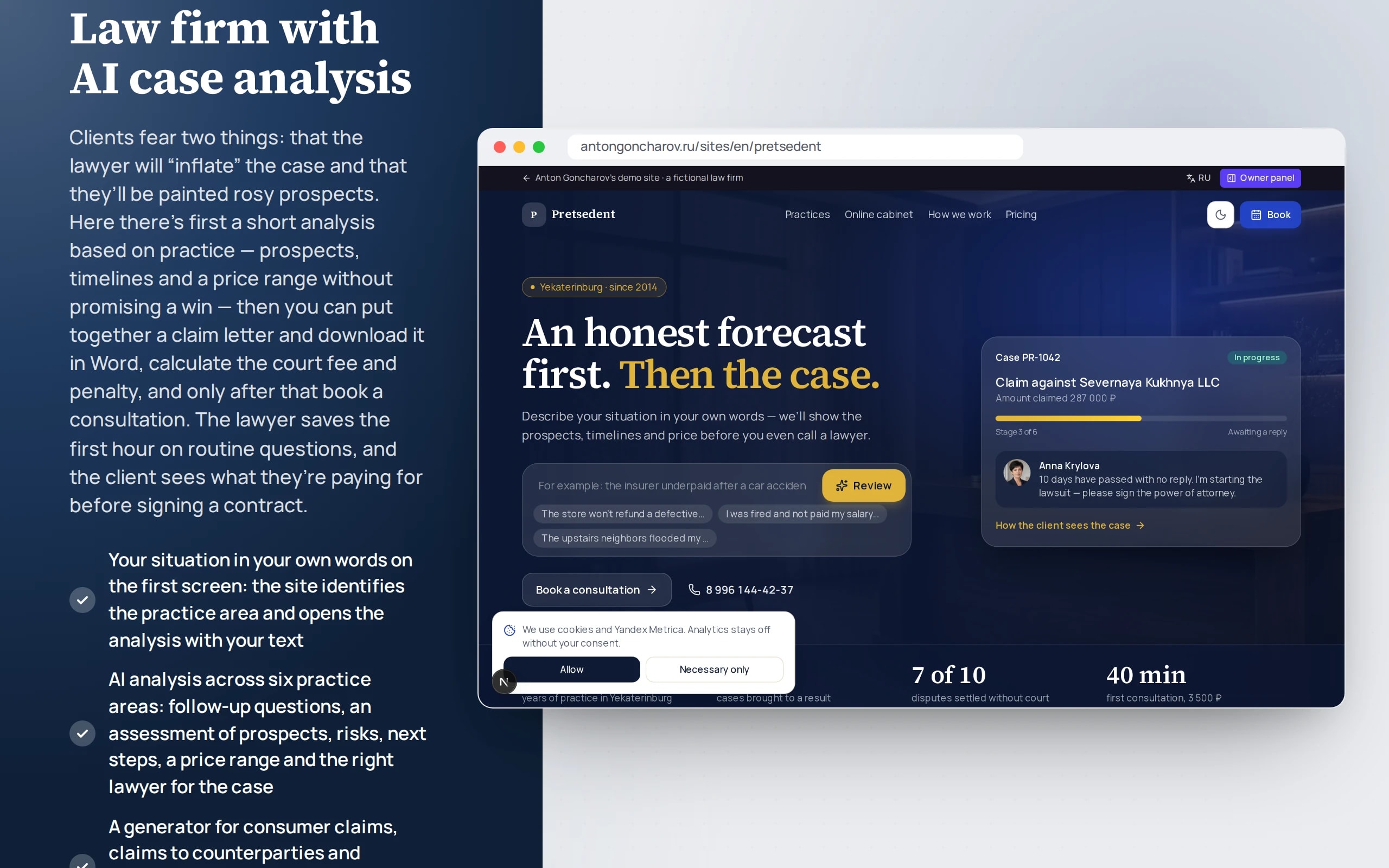
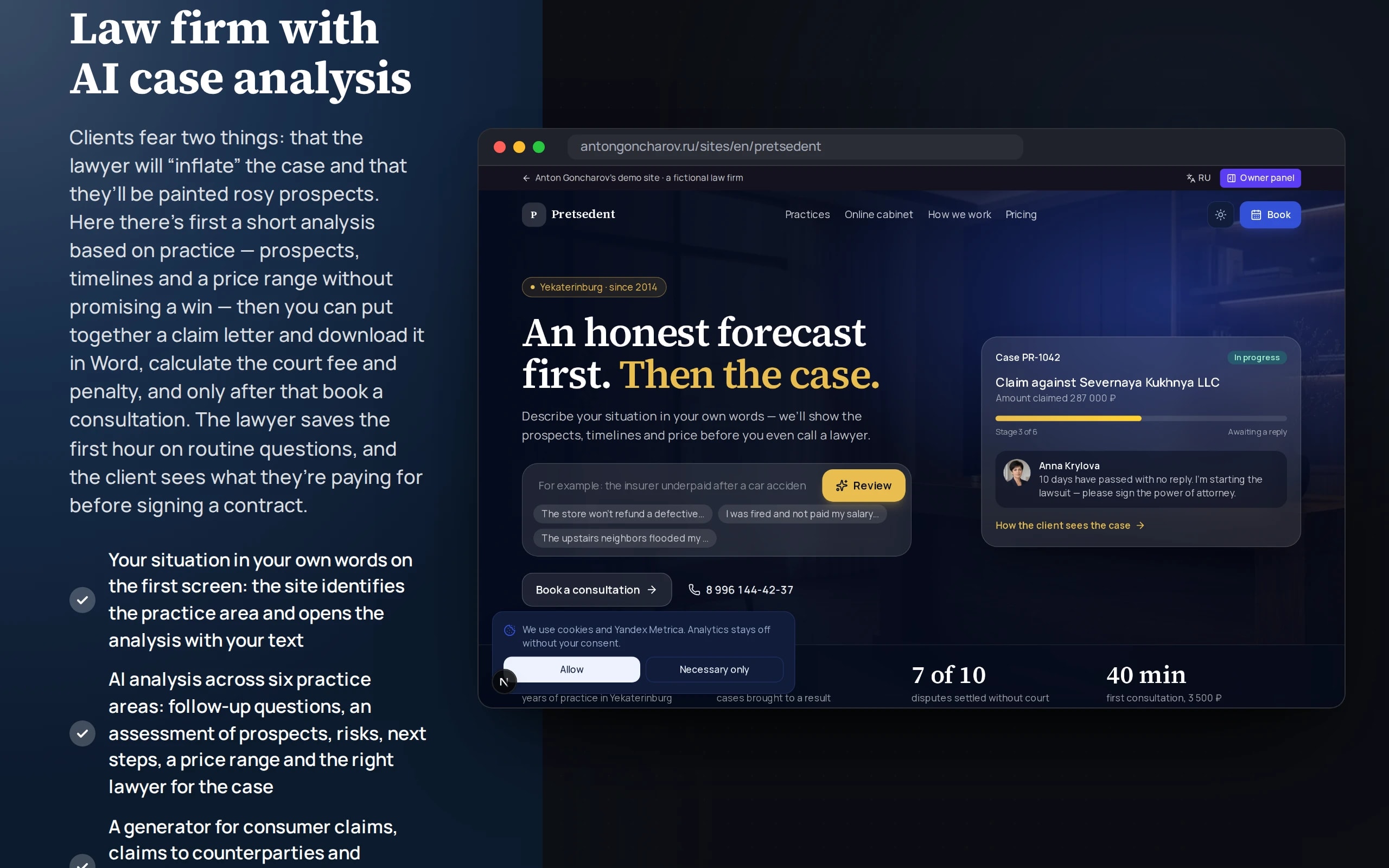
Clients fear two things: that the lawyer will “inflate” the case and that they’ll be painted rosy prospects. Here there’s first a short analysis based on practice — prospects, timelines and a price range without promising a win — then you can put together a claim letter and download it in Word, calculate the court fee and penalty, and only after that book a consultation. The lawyer saves the first hour on routine questions, and the client sees what they’re paying for before signing a contract.
Scenario: Pretsedent law firm in Yekaterinburg — fictional: six practice areas from consumer rights to road accidents, three lawyers and demo cases with amounts and timelines.
Open the demo
Describe your situation in the field on the first screen and the analysis opens. The other tools are in the “Online account” tabs, and a consultation request appears in the owner dashboard.
Leads from the demo website are visible only to you, in the “Owner dashboard”: the server validates the form and stores nothing.
What the demo shows
How to try it
Analyze a situation
On the first screen, write what happened, or choose an example and answer the questions — you’ll see prospects, timelines, a price range and the right lawyer.
Download a claim letter
In the “Claim in Word” tab, enter your details or keep the kitchen example and download the .rtf — the file opens in Word.
Check the deadlines and numbers
In the “Fee and penalty” and “Limitation period” tabs, enter an amount and a date — the calculation appears instantly, with the formula and the deadline.
Watch the case progress
In the “How we handle a case” block, press “Next stage” or “Play” — the client account updates along with the stage.
Book a consultation
Choose a day and time and a lawyer, and leave your phone — a request appears in the owner dashboard, with an .ics file you can download.
No paid neural networks
There are no paid neural network requests: the situation analysis is built on rules from the quiz answers, documents are templates with field substitution, and the court fee and penalty use simplified formulas. In a production version the analysis is done by a language model under a lawyer’s control. The consultation schedule is deterministic. The firm, cases and prices are fictional; this is not legal advice.
The demo runs without OpenAI, YandexGPT or GigaChat API keys. Wherever a production system calls a model, there’s a local stub with the same interface — so the demo is free, always available and never makes things up.
What a production project adds
- Case cards, deadlines and documents from a LegalTech system or CRM (Case.one, Bitrix24), with the site as a front end to the same data
- Situation analysis by a language model (YandexGPT or GigaChat) with the firm’s case base and mandatory review by a lawyer before advising the client
- Documents in DOCX on the firm’s letterhead, e-document exchange and registration of outgoing mail
- Consultation payment via acquiring, booking in the lawyer’s calendar, a video call
- Court fee and penalty at current Tax Code rates and the Central Bank key rate via API, with a note that the calculation is preliminary
Stack
- All demos by stack:
- Next.js
- React
- TypeScript
- Next.js 16
- React 19
- TypeScript
- Tailwind CSS 4
- Server Actions
Based on
Books and university courses whose ideas are at work in this demo.
Book · William Arntz, Betsy Chasse, Mark Vicente
What the Bleep Do We Know!?
The AI case review starts with clarifying questions, not with a ready verdict.
Developer’s comment
Anton Goncharov
AI systems developer · Python
For business
- Clients see their prospects and a price range before signing — fewer inflated expectations and fewer cancelled calls after the first meeting.
- The claim letter draft and calculators take the first hour of routine off the lawyer: clients come to the consultation with documents and numbers.
- Booking with free slots and a calendar file reduces no-shows and empty slots.
For developers
- The situation analysis is a pure function of the quiz answers with tests: the score, risks and price range are deterministic, with no model calls.
- The document is assembled as text and exported to minimal RTF with Unicode escapes for Cyrillic — it opens in Word without libraries.
- The court fee and penalty interest are separate formulas with step-by-step explanations; the key rate is fixed in the demo so the tests don’t drift.
Tips
Tip 01
Put a disclaimer next to the “AI analysis”: it’s a demo, not a consultation — otherwise visitors will take an estimate for advice.
Tip 02
Let users download the document right away: a sense of progress matters more than perfect legal wording at the first step.
Want the same for your business?
Tell me about your task — I’ll tell you what from the demo fits, how long it will take and what I’ll need from you.
Other demos in this section
All demos- live

Next.js website · service landing page
Dental clinic landing page
A one-page clinic website that brings in patients: a quiz suggests a treatment, a calculator prices the plan with installments, online booking shows doctors’ free time, and an AI consultant answers from the price list. The headline is A/B-tested; leads and goals are visible in the owner dashboard.
- Next.js
- React
- TypeScript
- live

Next.js website · B2B, multi-page
Manufacturing company website
A multi-page website for a steel structures plant that sells on its own: a calculator prices a building with a live drawing, a builder assembles a technical specification, case studies filter by industry, you can apply for a job with a CV, and site search understands queries in plain words.
- Next.js
- React
- TypeScript
- live

Next.js website · catalog, map, comparison
Real estate catalog with smart search
A real estate agency’s apartment catalog: type “two-bedroom near the metro under 12 million” and the search sets the filters itself, shows apartments on a city map, compares up to four and sends new ones to Telegram.
- Next.js
- React
- TypeScript
- live

Next.js website · AI translation, per-language SEO
An export website in four languages
A website for an Altai honey exporter in Russian, English, Chinese and Arabic: translated page URLs, per-language SEO, a wholesale price calculator with delivery and a translation studio that checks the neural network’s draft against a glossary.
- Next.js
- React
- TypeScript
- live

Next.js website · customer account, AI assistant, Telegram
Customer account portal
A print shop’s customer account: orders with production stages, layout approval with comments right on the layout, invoices paid via SBP, documents with an electronic signature, a new order with a price calculation, a chat with an AI assistant and a manager, notifications in Telegram.
- Next.js
- React
- TypeScript
- live

Next.js website · Python in the browser, AI mentor
Online school with a student account
An online analytics school: a landing page with a Python task checked right in the browser, a level test with a personal curriculum, installments with a tax deduction estimate, a student account with homework and AI review, an AI mentor that answers from course materials and a certificate verified by QR code.
- Next.js
- React
- TypeScript
- live

Next.js website · booking by plate number, photo report, approval
Car service with booking and repair status
A car service website: booking by plate number or VIN into free bay slots, a “what’s knocking?” diagnosis with likely causes and a price range, repair status with a photo report, approval of extra work and payment by link, and a garage with service history and a forecast of the next maintenance.
- Next.js
- React
- TypeScript
- live

Next.js SaaS website · sandbox, dashboard, API
SaaS: AI replies to WB and Ozon reviews
The website and dashboard of a SaaS service that replies to Wildberries and Ozon reviews: a sandbox with review analysis and checks, autopilot by rating, a queue with approval, topic analytics, plans with a payback calculator, store connection by key, an invoice by tax ID and API documentation with a live console.
- Next.js
- React
- TypeScript
- live

Next.js restaurant website · menu, table booking, delivery
Restaurant with delivery
A restaurant website with delivery: a menu with allergen and diet filters, AI dinner selection from a plain phrase, table booking on a floor plan showing free tables for the chosen time, a cart with delivery zones, a minimum order and promo codes, and order tracking with the courier on a map.
- Next.js
- React
- TypeScript
- live

Next.js fitness studio website · booking, memberships, account
Fitness studio
A small-group fitness studio website: a weekly schedule with spots and two-click booking, a waiting list that moves you into the group automatically, memberships you can freeze from your account, an AI 4-week training plan from five questions and a personal account with attendance stats.
- Next.js
- React
- TypeScript
- live

Next.js IT conference website · program, tickets, networking
Conference website
A two-day conference website: a program by room and track with a personal schedule, AI selection of talks without overlaps by role and free text, tickets in price waves with promo codes and a team discount, a QR code for every attendee checked at the entrance, and networking with matching and meetings during breaks.
- Next.js
- React
- TypeScript
- live

Next.js corporate logistics website · calculator, tracking, AI request
Transport company website
A transport company’s corporate website: a calculator that compares groupage and a dedicated truck at once, shipment tracking with the truck on a map, AI parsing of a request from an email or waybill with missing fields highlighted, a map of warehouses and terminals with a storage calculation, a carrier application with an eligibility check, and company details with checksum validation.
- Next.js
- React
- TypeScript