Web app · OCR · validating company details
Document recognition
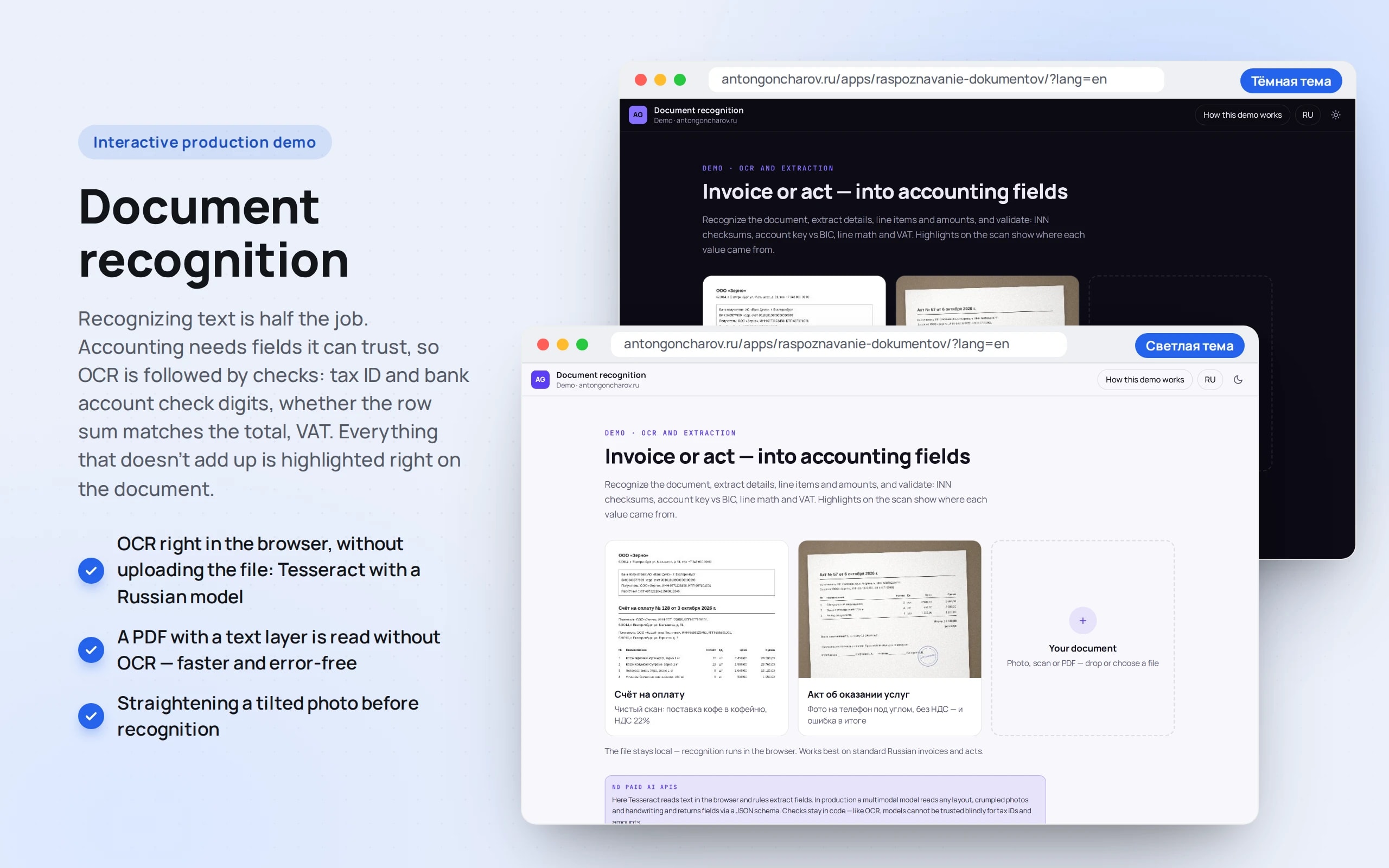
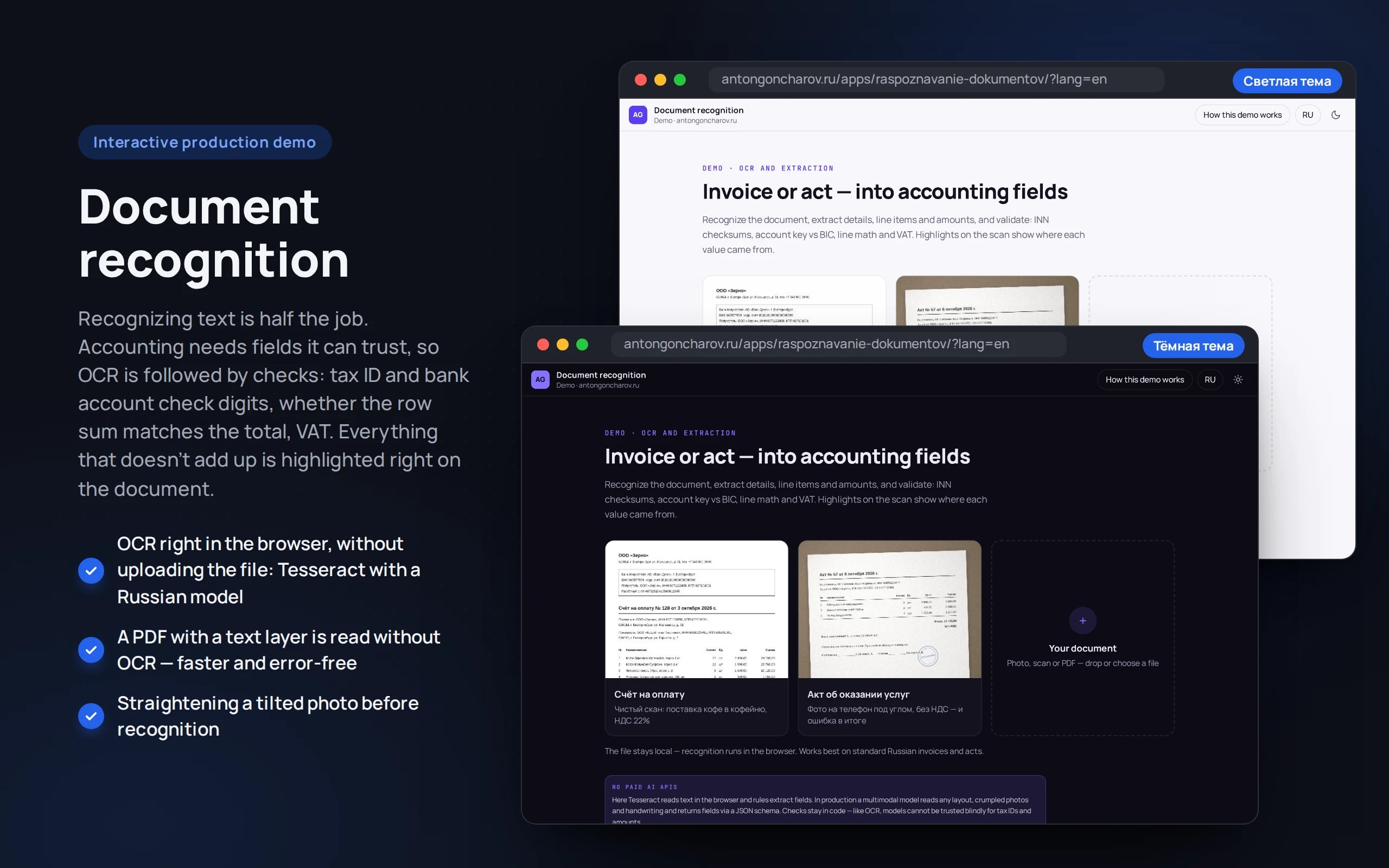
Recognizing text is half the job. Accounting needs fields it can trust, so OCR is followed by checks: tax ID and bank account check digits, whether the row sum matches the total, VAT. Everything that doesn’t add up is highlighted right on the document.
Scenario: Fictional invoices and acts from the roastery’s suppliers, plus any documents of your own.
Open the demo
On first launch the OCR model loads — about 5 MB, then it’s taken from the browser cache.
The app runs in your browser: nothing is sent to a server.
What the demo shows
How to try it
Open the app
Choose an example — an invoice or a photo of an act — or upload your own file: JPG, PNG, WebP or PDF up to 15 MB.
Look at the fields
On the right are the extracted details with recognition confidence. Hover over a field and it’s highlighted on the document.
Find the error
In the act, the total doesn’t match the row sum — the app shows exactly where and highlights the fields in red.
Export the result
Correct a field if needed and download JSON or CSV.
No paid neural networks
Fields are extracted from the text by rules and regular expressions — that’s enough for typical invoices and acts, and the result can be verified. In a production project, a model with a strict JSON-schema response handles non-standard documents, while the detail checks stay the same.
The demo runs without OpenAI, YandexGPT or GigaChat API keys. Wherever a production system calls a model, there’s a local stub with the same interface — so the demo is free, always available and never makes things up.
What a production project adds
- Incoming documents from email, e-document exchange or 1C — no manual upload
- A model for non-standard forms, server-side OCR for a flow of thousands of pages
- Reconciliation with 1C: does the supplier exist, does the amount match the order
- A “human review” queue only for documents where the checks failed
Stack
- All demos by stack:
- React
- TypeScript
- In-browser neural network
- React 19
- TypeScript
- Tesseract.js
- pdf.js
- Vite
- Tailwind CSS
Based on
Books and university courses whose ideas are at work in this demo.
Book · Charles Petzold
Code: The Hidden Language of Computer Hardware and Software
Check digits of INNs (taxpayer numbers) and bank accounts are a code too: they reveal and fix recognition errors.
Developer’s comment
Anton Goncharov
AI systems developer · Python
For business
- Accounting stops retyping invoices: fields fill themselves, and a person looks only at what didn’t add up.
- Errors are caught before payment: a wrong tax ID, a total that doesn’t equal the row sum, incorrectly calculated VAT.
- Files don’t go to someone else’s servers — that matters when documents contain trade secrets.
For developers
- OCR is Tesseract.js with a Russian model right in the browser. A PDF with a text layer is read via pdf.js without any recognition at all.
- Before OCR the photo is deskewed; after it, fields are extracted by rules and validated with tax ID and account check digits against the BIC.
- A recognition error in a tax ID can be corrected using the checksum — the field is marked “corr.” so a person can see it.
Tips
Tip 01
Detail checks are worth more than OCR accuracy: perfect recognition won’t save you from an error in the document itself.
Tip 02
Show the confidence for each field and highlight it on the document — checking takes seconds rather than minutes.
Want the same for your business?
Tell me about your task — I’ll tell you what from the demo fits, how long it will take and what I’ll need from you.
Other demos in this section
All demos- live

Web app · conversations · deals · analytics
Operator panel
The workspace of an operator who receives difficult requests from a bot: a queue with a timer, a conversation summary, a reply draft, deals on a kanban board and analytics — on a live stream of customers.
- React
- TypeScript
- live

Web app · Recharts · RBAC · audit
SaaS dashboard
A SaaS revenue team’s workspace: MRR by plan, revenue movement, churn, customer health, CSV export for Excel and an activity log. All numbers are calculated from a single year of history — changing a plan in a customer card moves MRR on the charts immediately.
- React
- TypeScript
- live

Web app · Laravel · PostgreSQL
Warehouse system on Laravel
Warehouse accounting where stock is the sum of ledger entries, not a “qty--” field: orders with all-or-nothing reservation, picking by bin, receiving with CSV import, stocktaking and a ledger. A race between two real PHP processes in PostgreSQL shows why row locking is needed.
- PHP
- live

Web app · metrics · alerts
Bot monitoring
How a bot is watched in production: how many requests, how fast it answers, how often it fails or doesn’t know the answer. A request log with a trace of every answer and rules that message the on-call engineer in Telegram when something goes wrong.
- React
- TypeScript
- live

Python scraper · runs in the browser
Competitor price monitoring
A Python scraper crawls the websites of three competitors of an electronics store every day: an HTML catalog with pagination, a sitemap with JSON-LD and an SPA with an API. It matches products with the catalog, sends notifications about changes, recommends a price by rules and exports a report to Excel. Python runs right in the browser.
- Python
- React
- TypeScript
- live

Web app · PWA · vanilla JS
Offline courier app
A courier’s working day: orders, a call to the customer, handover with a photo and signature. The app opens and works without a network, and changes go to dispatch when the connection returns. If the dispatcher changed the same order in the meantime, the courier chooses which version is right.
- Vanilla JS