Web app · PWA · vanilla JS
Offline courier app
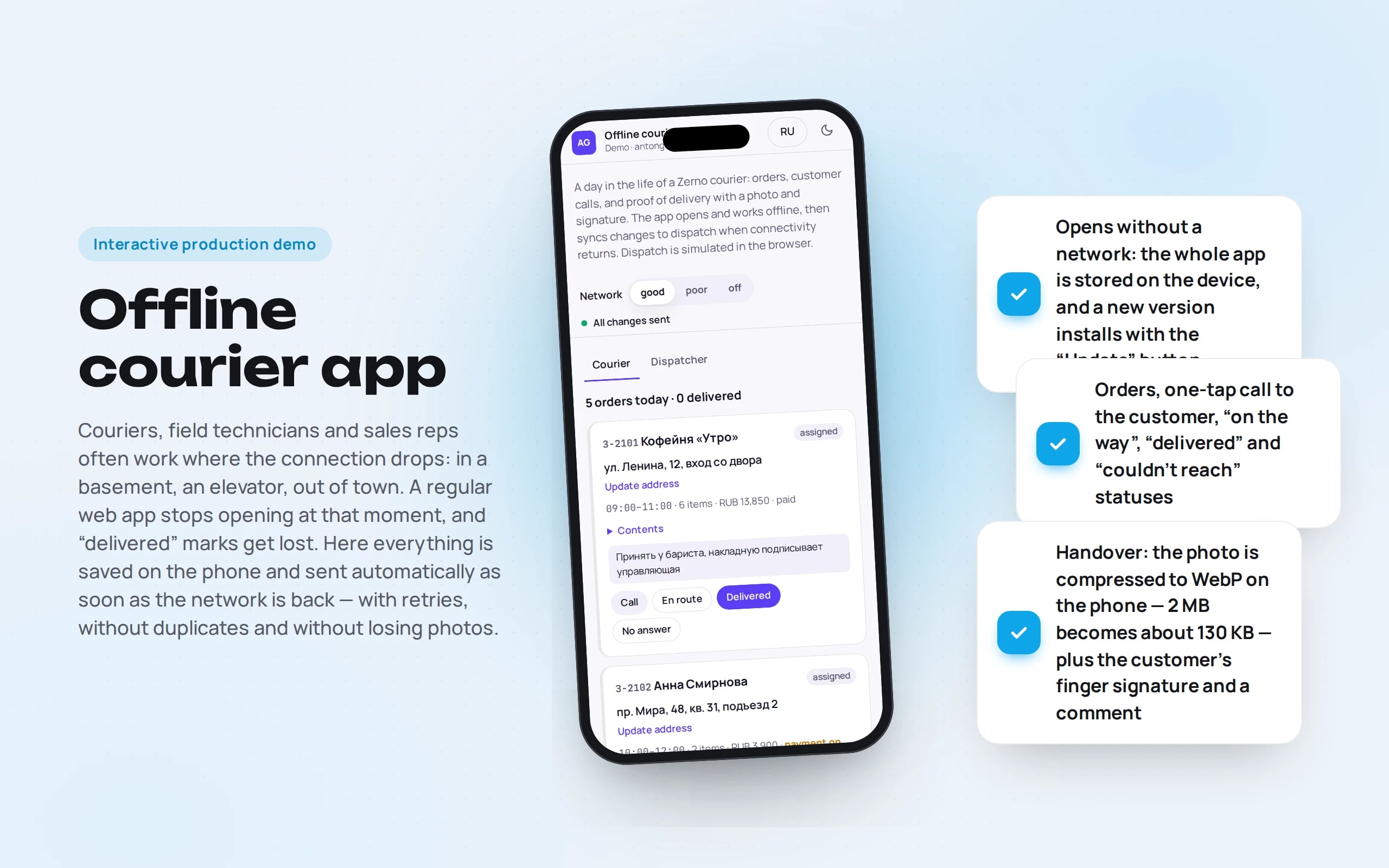
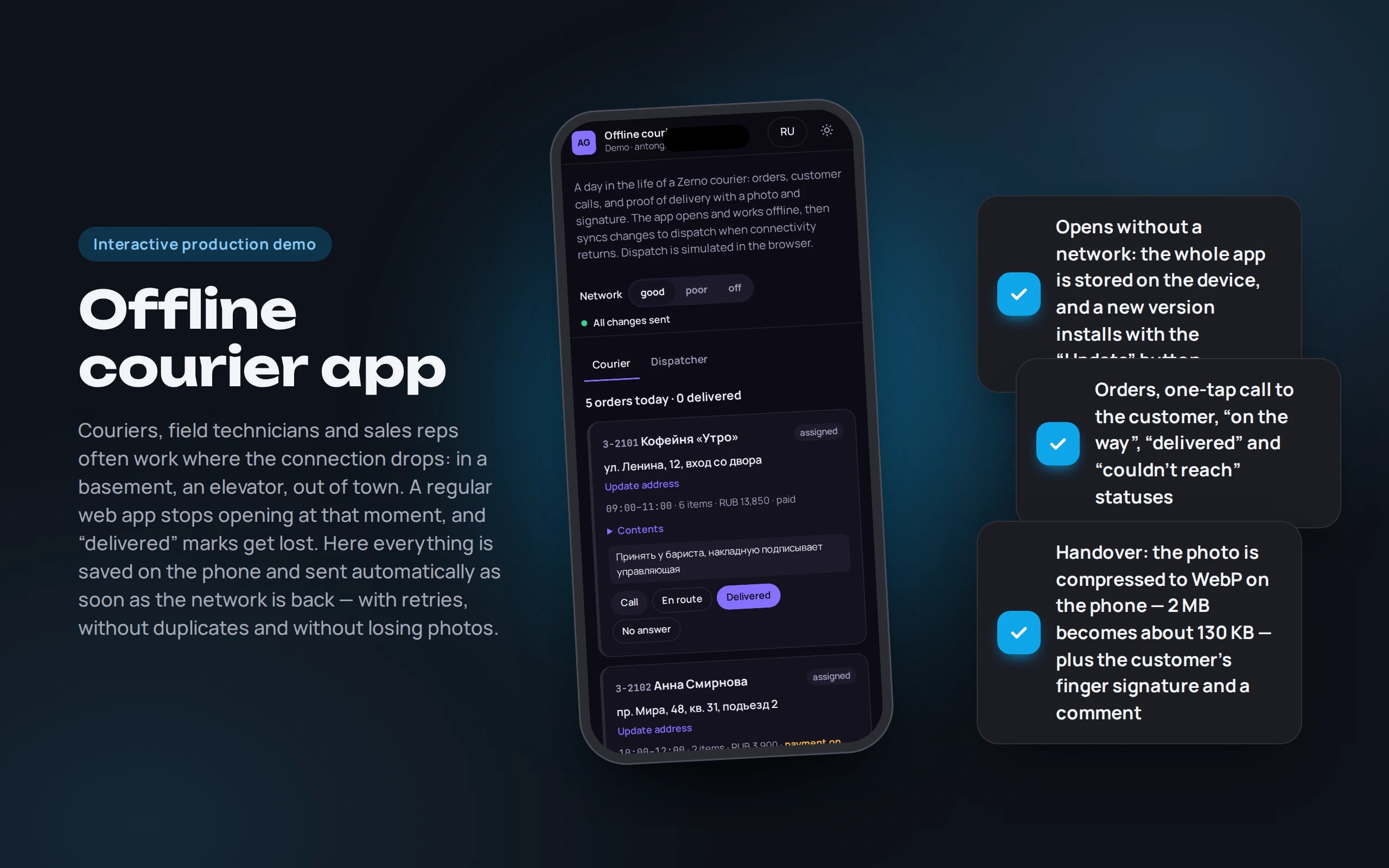
Couriers, field technicians and sales reps often work where the connection drops: in a basement, an elevator, out of town. A regular web app stops opening at that moment, and “delivered” marks get lost. Here everything is saved on the phone and sent automatically as soon as the network is back — with retries, without duplicates and without losing photos.
Scenario: A courier of Zerno roastery — fictional — delivers five orders: coffee shops, an office and private customers.
Open the demo
Best on a phone: the app can be installed on the home screen. Turn the network off with the switch at the top or for real with airplane mode.
The app runs in your browser: nothing is sent to a server.
What the demo shows
How to try it
Turn off the network
With the “Network: off” switch or airplane mode. Reload the page — the app opens.
Hand over an order
“Delivered” → “Test photo” or the camera, a finger signature, a comment. The order is marked “not sent”.
Turn the network back on
The queue goes to dispatch — the log shows what was sent and when. On a “poor” connection you see the retries.
Stage a conflict
The “Stage a conflict” button: offline, you clarify the address while the dispatcher changes it. Choose the right version.
No paid neural networks
Dispatch here is simulated in the browser: its own database and network delays, like a real server. Orders, photos and signatures are stored on your device and not sent anywhere. In a production project the queue goes to a server with an API, the dispatcher sees orders in their panel, and the customer gets a delivery notification.
The demo runs without OpenAI, YandexGPT or GigaChat API keys. Wherever a production system calls a model, there’s a local stub with the same interface — so the demo is free, always available and never makes things up.
What a production project adds
- A server with an orders API and a dispatcher panel with a map and courier statuses
- Route and geolocation, customer notifications in Telegram, Max or SMS
- Courier sign-in, roles and an activity log for resolving disputed deliveries
- Integration with 1C, MoySklad or a CRM: orders come from there, statuses and photos go back
Stack
- All demos by stack:
- Vanilla JS
- JavaScript without frameworks
- Service Worker
- IndexedDB
- Background Sync
- Canvas
- Pointer Events
- BroadcastChannel
- Web Locks
- Vite
Based on
Books and university courses whose ideas are at work in this demo.
Book · John Little
The Warrior Within
A lost connection is no reason to stop: the app works offline and sends the changes when the connection is back.
Book · Harvey Deitel, Paul Deitel, David Choffnes
Operating Systems
If the courier offline and the dispatcher changed the same order, the conflict isn’t settled silently by “last write wins” — the courier chooses which version is right.
Book · Alexey Vasiliev
JavaScript Programming in Examples and Exercises
A courier app in JavaScript without frameworks: the customer signs with a finger on Canvas with Pointer Events, photos are compressed right on the phone.
Book · Andrew S. Tanenbaum, Herbert Bos
Modern Operating Systems
A Service Worker keeps the app on the device, and the change queue is sent in order with a growing pause on a poor connection.
Developer’s comment
Anton Goncharov
AI systems developer · Python
For business
- “Delivered” marks and photos don’t get lost in a basement or out of town — they’re sent when the network returns.
- Disputed deliveries are resolved by photo and signature, not by the courier’s word.
- If both the courier and the office changed the address, the edit isn’t silently overwritten — the courier picks the correct version.
For developers
- The Service Worker is handwritten and caches the entire build; a Vite plugin injects the file list and version.
- Orders and the change queue live in IndexedDB. Sending in order with increasing backoff, Background Sync and Web Locks against double submission.
- Photos are compressed on Canvas to WebP, the signature is drawn via Pointer Events, tabs sync via BroadcastChannel.
Tips
Tip 01
Plan for offline work from day one: retrofitting it into a finished app costs almost as much as writing it again.
Tip 02
Give every change its own identifier: a retry after a dropped connection must not create a duplicate.
Want the same for your business?
Tell me about your task — I’ll tell you what from the demo fits, how long it will take and what I’ll need from you.
Other demos in this section
All demos- live

Web app · OCR · validating company details
Document recognition
Upload an invoice or a certificate of completion — a photo, scan or PDF. The app recognizes the text, extracts company details and table rows and validates them: tax ID and account checksums, the total and VAT.
- React
- TypeScript
- In-browser neural network
- live

Web app · conversations · deals · analytics
Operator panel
The workspace of an operator who receives difficult requests from a bot: a queue with a timer, a conversation summary, a reply draft, deals on a kanban board and analytics — on a live stream of customers.
- React
- TypeScript
- live

Web app · Recharts · RBAC · audit
SaaS dashboard
A SaaS revenue team’s workspace: MRR by plan, revenue movement, churn, customer health, CSV export for Excel and an activity log. All numbers are calculated from a single year of history — changing a plan in a customer card moves MRR on the charts immediately.
- React
- TypeScript
- live

Web app · Laravel · PostgreSQL
Warehouse system on Laravel
Warehouse accounting where stock is the sum of ledger entries, not a “qty--” field: orders with all-or-nothing reservation, picking by bin, receiving with CSV import, stocktaking and a ledger. A race between two real PHP processes in PostgreSQL shows why row locking is needed.
- PHP
- live

Web app · metrics · alerts
Bot monitoring
How a bot is watched in production: how many requests, how fast it answers, how often it fails or doesn’t know the answer. A request log with a trace of every answer and rules that message the on-call engineer in Telegram when something goes wrong.
- React
- TypeScript
- live

Python scraper · runs in the browser
Competitor price monitoring
A Python scraper crawls the websites of three competitors of an electronics store every day: an HTML catalog with pagination, a sitemap with JSON-LD and an SPA with an API. It matches products with the catalog, sends notifications about changes, recommends a price by rules and exports a report to Excel. Python runs right in the browser.
- Python
- React
- TypeScript